In partnership with

 LUXE PROMPTING
LUXE MODEL FIRST LOOK
Canva Craft Is Here: 3 Prompts for Its First Image Model
Canva released Craft on October 22, its first image model, built from scratch by its in-house lab, Canva Research. It's available now to every Canva user in Dream Lab, and to developers through Canva's API.
Craft plans the layout before it draws: where each element goes, how big it is and what text appears. It debuted at #4 on the DesignArena image leaderboard, and #1 in its People & Portraits and Landscapes & Nature categories. Here are three prompts built to test exactly those strengths: a text-heavy poster, a portrait with room for a headline, and a banner in a second language.

The best marketing ideas come from marketers who live it.
That’s what this newsletter delivers.
The Marketing Millennials is a look inside what’s working right now for other marketers. No theory. No fluff. Just real insights and ideas you can actually use—from marketers who’ve been there, done that, and are sharing the playbook.
Every newsletter is written by Daniel Murray, a marketer obsessed with what goes into great marketing. Expect fresh takes, hot topics, and the kind of stuff you’ll want to steal for your next campaign.
Because marketing shouldn’t feel like guesswork. And you shouldn’t have to dig for the good stuff.
The Short Version
- Craft is free to try in Canva's Dream Lab (bottom-left panel) and is on Canva's public API. Canva says faster Craft-fast and Craft-ultrafast versions are coming.
- Write prompts like a layout brief: say where things go, put every word you want in quotes, and name the empty space you need.
- Three prompts to copy: an event poster, an editorial portrait with headline space, and a landscape banner with Spanish text.
What makes Craft different
Most image models go straight from prompt to pixels. Canva says Craft works in two stages: a planning model writes out the composition first, covering each element, its position and size, the visual hierarchy and any text, and a second model renders that plan at up to 2K.
It was trained heavily on millions of Canva templates (posters, social posts, menus, infographics), not just photos, and tuned with feedback from Canva's own designers. You can pick from more than 30 aspect ratios or type your own, prompt in any language, and Canva says it renders text in 55 languages.
The practical upside is editing. Because Craft keeps track of where every element sits, Canva's Magic Layers can split a Craft image into separate, editable pieces, so you can move the headline or swap a word without regenerating the whole image.
A note on the rankings: the leaderboard figures come from DesignArena's crowd votes as reported by Canva at launch. They are a useful signal, not a guarantee for your prompts.
Our example images were not made with Craft. We generated them with beehiiv's built-in, Gemini-based image tool, so you can see what each prompt asks for.
1. An event poster where every word lands
Text is where most image models slip. Craft's planning stage decides where each line goes before rendering, so a poster with a headline, a subhead and three detail lines is the right first test.
The exact prompt
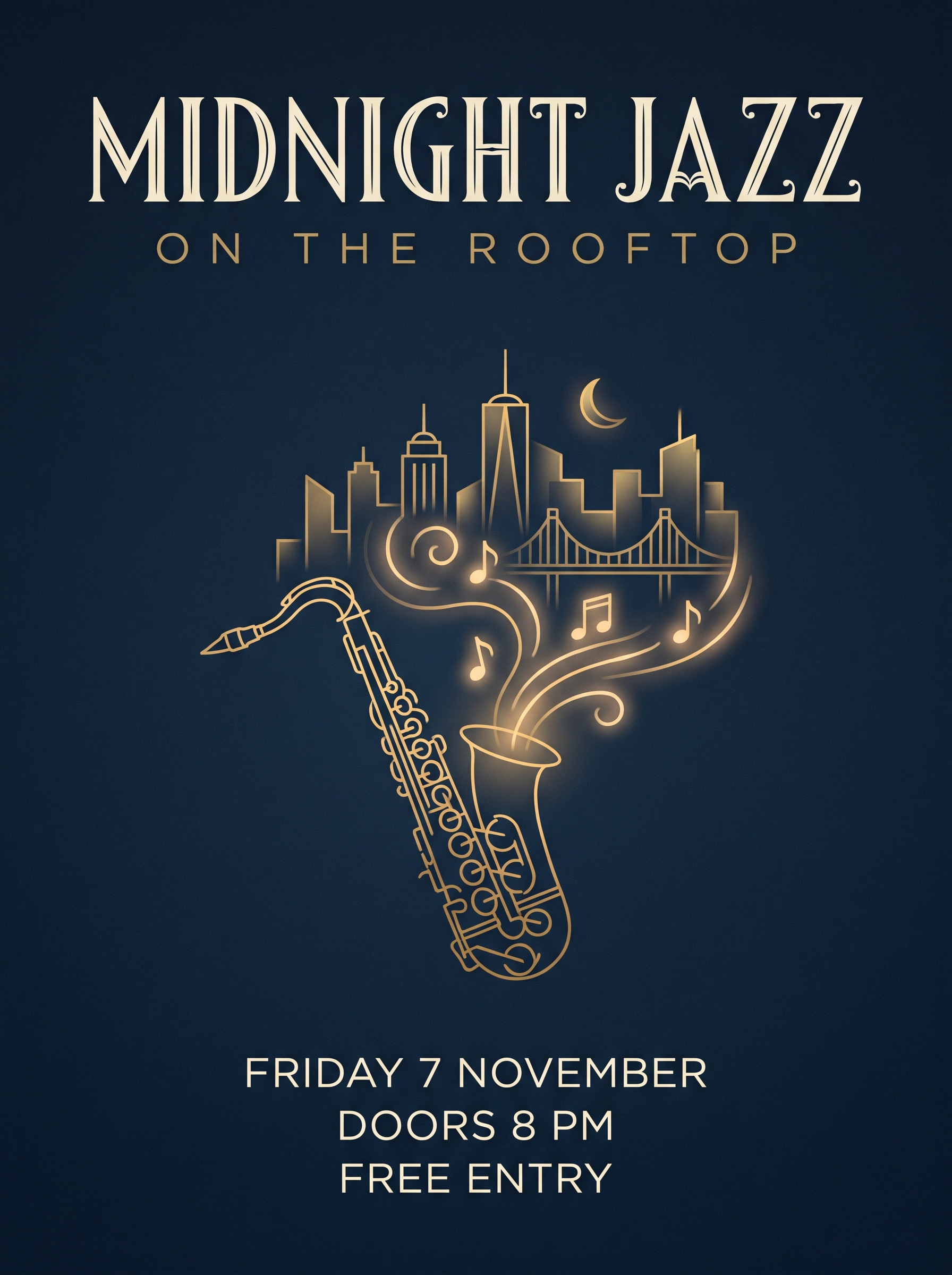
Illustrative example, not made with Canva Craft: generated for this issue with beehiiv's Gemini-based image tool from this exact prompt. Your Canva Craft result will differ.
In Dream Lab: choose a portrait poster size, then paste
A vertical poster for a rooftop jazz night. Deep midnight-blue background with subtle film grain. At the top, the headline "MIDNIGHT JAZZ" in large cream art-deco capitals, with "ON THE ROOFTOP" in smaller gold letter-spaced capitals directly underneath. In the center, a gold line illustration of a saxophone with glowing notes rising over a simple city skyline. At the bottom, three lines of cream sans-serif text: "FRIDAY 7 NOVEMBER", "DOORS 8 PM", "FREE ENTRY". Generous margins, clear hierarchy, no other words.
Why it works: Every word sits in quotes and has a named position and style, so the plan stage has a complete layout to follow. "No other words" stops the model from adding filler text.
Try it: Canva Dream Lab · Canva developer platform
What to check in your result
Read every line letter by letter, including the date. Then try Magic Layers on the result and check whether the text comes out as a separate, editable layer.
One variation to try
Keep the structure and swap the event: a farmers market, a book club or a gallery opening. Change only the quoted text and the illustration line.
2. An editorial portrait with room for a headline
People & Portraits is the category where Canva says Craft ranked first. This prompt asks for a natural portrait plus a clean, empty area, which is what you need for a cover, a blog header or an ad.
The exact prompt
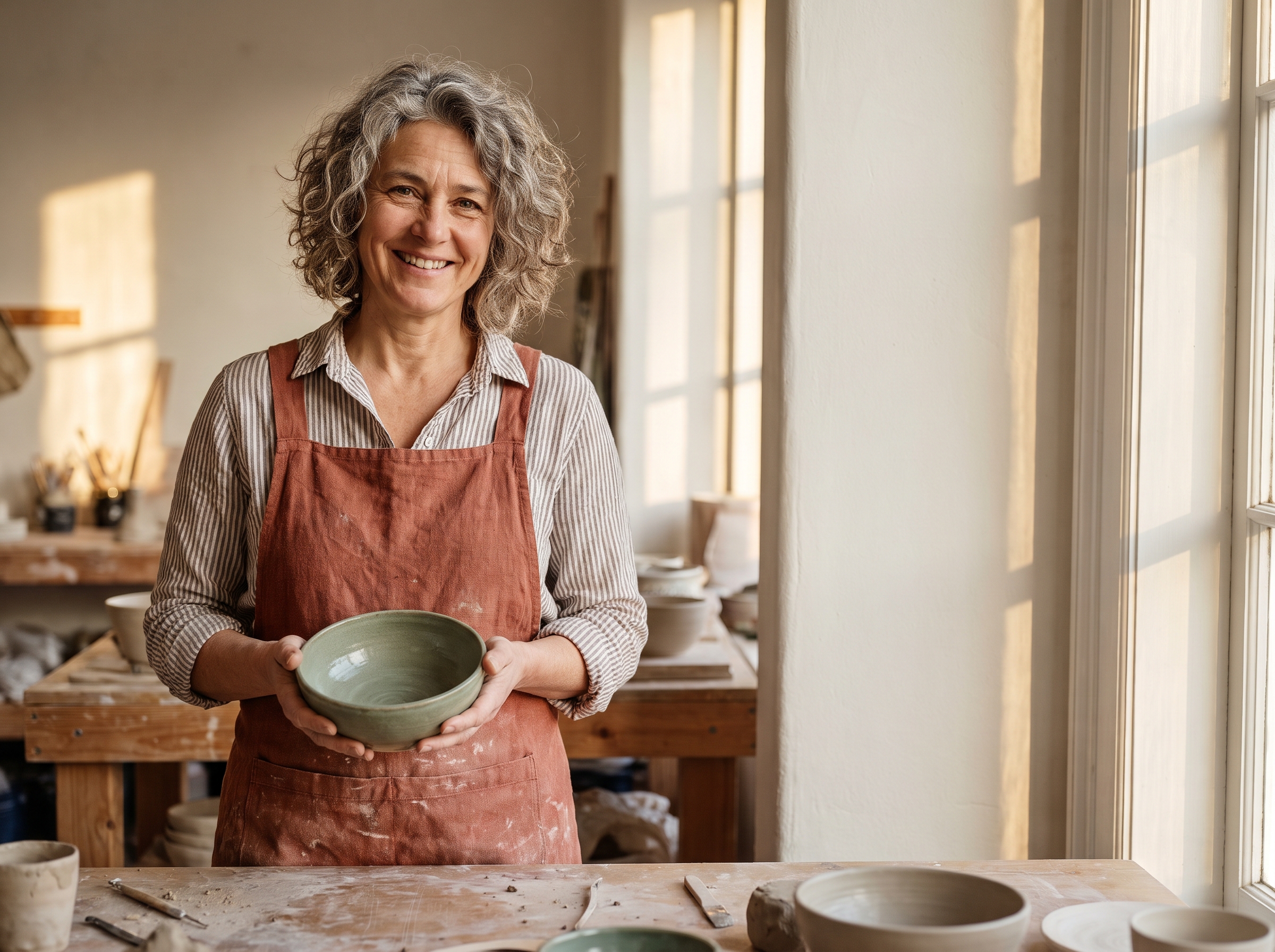
Illustrative example, not made with Canva Craft: generated for this issue with beehiiv's Gemini-based image tool from this exact prompt. Your Canva Craft result will differ.
In Dream Lab: choose a landscape size (4:3 or your own), then paste
An editorial lifestyle portrait of a ceramicist in her late 40s with silver-streaked curly hair and a rust linen apron, standing at a wooden workbench in a sunlit pottery studio, holding a freshly glazed sage-green bowl and smiling at the camera. Place her on the left third of the frame. Keep the right third as a calm, softly lit plaster wall with nothing on it, so a headline can sit there later. Warm late-afternoon window light, natural skin texture, shallow depth of field, 50mm lens. No text.
Why it works: Naming the thirds tells the planner where the subject ends and the empty space begins. Lens, light and skin texture keep it looking like a photo rather than a stock render.
Try it: Canva Dream Lab · Canva developer platform
What to check in your result
Check the hands and the bowl first, then the empty wall. If anything crept into the right third, add "nothing on the wall: no shelves, no art, no plants" and run it again.
One variation to try
Swap the job and the prop: a florist with a bouquet, a baker with a loaf, a tailor with a tape measure. Keep the thirds sentence word for word.
3. A landscape banner in another language
Craft also ranked first in Landscapes & Nature, according to Canva, and it handles text beyond English. This banner tests both at once, in a wide custom size.
The exact prompt
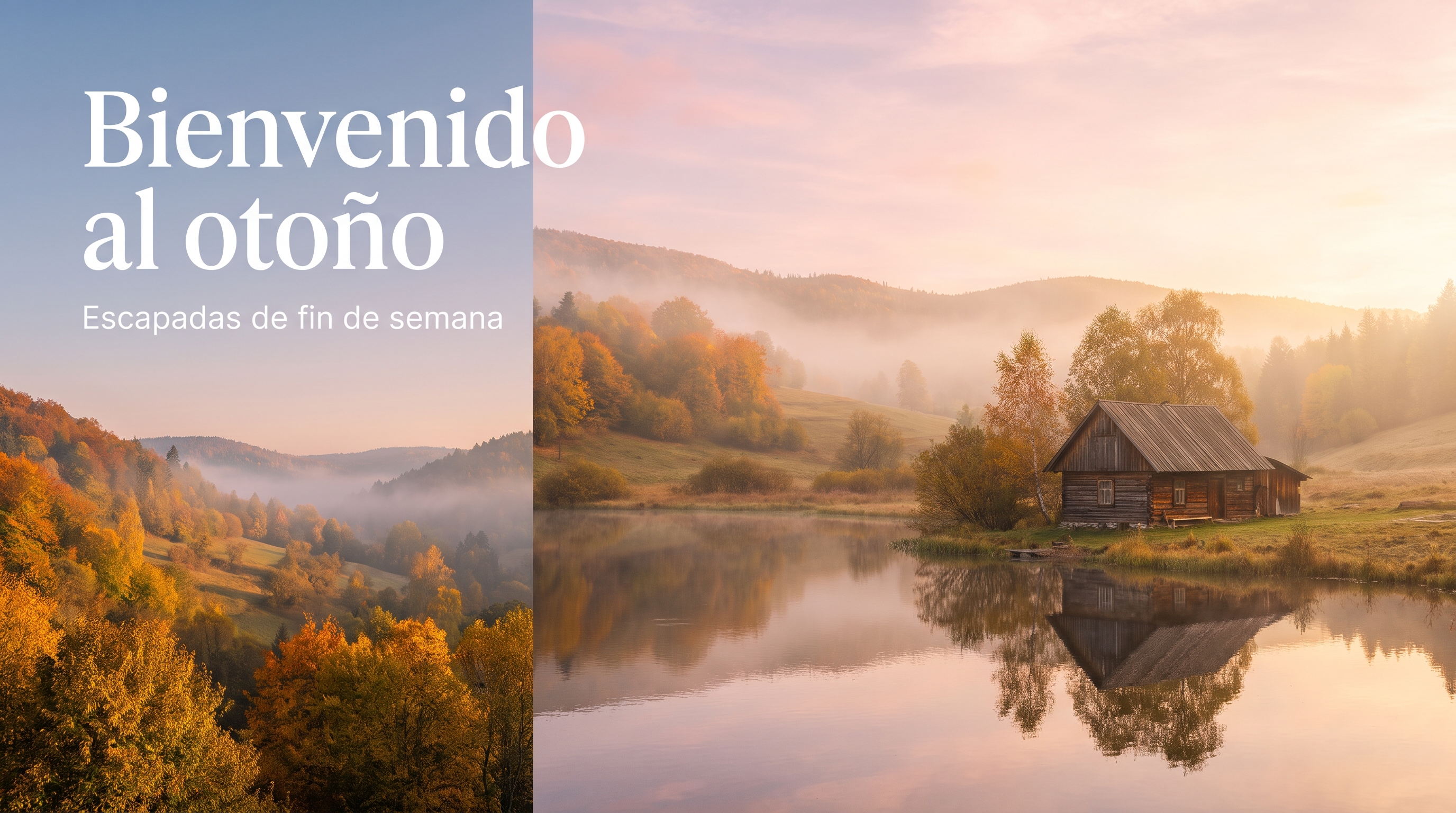
Illustrative example, not made with Canva Craft: generated for this issue with beehiiv's Gemini-based image tool from this exact prompt. Your Canva Craft result will differ. Here the tool split the banner into a panel; ask for one continuous scene if you want no split.
In Dream Lab: choose a wide banner size (16:9 or type your own), then paste
A wide website banner of a misty autumn valley at sunrise: rolling hills of orange and gold trees, a still lake reflecting a pink sky, a small wooden cabin on the shore. Keep the left third of the sky calm and uncluttered, and place the headline "Bienvenido al otoño" there in an elegant white serif, with a smaller white sans-serif line below: "Escapadas de fin de semana". Soft golden light, realistic landscape photography, correct Spanish accents, no other words.
Why it works: The headline is quoted exactly, accents included, and given a calm area of sky, so the text never fights the scenery. "Correct Spanish accents" is a cheap insurance line.
Try it: Canva Dream Lab · Canva developer platform
What to check in your result
Check the accent on otoño and the spacing between the two text lines. Then look at the reflection in the lake: it should match the cabin and trees above it.
One variation to try
Translate the quoted lines into the language your audience reads, such as French, Japanese or Tagalog, and keep everything else the same.
Before you post
- Read every word on the image, especially dates, prices and names.
- Use Magic Layers to fix a typo instead of regenerating the whole design.
- Craft is new: compare a few results against the model you use now before switching your whole workflow.
- Label AI-made images where the platform asks you to.
Also new this week
Ideogram released Vector 1.0 on October 22, a model that turns prompts or images into editable SVG files. And OpenAI still hasn't announced the "aurora" image models testers spotted in its API on October 18. Until OpenAI confirms them, treat them as a rumor.
Source Desk
All three prompts are original Luxe editorial work written for this October 2026 issue. Model details come from Canva's Craft announcement (October 22, 2026) and TechCrunch's launch coverage the same day; the DesignArena rankings are as reported by Canva at launch. Ideogram Vector 1.0 details come from Ideogram's launch post (October 22, 2026). Example images are illustrative and were not made with Canva Craft.
Canva: Introducing Canva Craft (Oct 22) · TechCrunch: Canva releases its first image generation model (Oct 22) · Ideogram Vector · Canva Dream Lab
A clearer brief. A more useful result.