In partnership with

 LUXE PROMPTING
LUXE FEATURE FIRST LOOK
ChatGPT Images 2.6 Is Here: 3 Prompts for GIFs, Saved Pets and Holiday Product Shots
ChatGPT Images 2.6 rolled out last Wednesday, November 4, and it adds two things you can use today: GIFs made from a prompt or a photo, and saved reference images you can call back by name.
Here are three copy-paste prompts built around those new features, plus one for the holiday product shots a lot of you are making right now.
100 Genius Side Hustles

Ready to stop scrolling job boards and start building something of your own?
The Hustle's free "Side Hustle Ideas Database" uncovers 100 unconventional, actually-actionable ways to earn on the side.
Inside you'll find:
A curated list of 100 real side hustle ideas spanning e-commerce, services, content, and weird corners of the internet most people never think to look
Opportunities at every level, whether you have 5 hours a week or 50, zero capital or a small runway
Offbeat, under-the-radar ideas you won't find in generic "how to make money" listicles
Subscribe for free today and get instant access. Your next income stream is one click away.
The Short Version
- Images 2.6 is live in ChatGPT on every plan, free included, on web, desktop and mobile. OpenAI says it generates images 50% faster than before.
- New in ChatGPT: looping GIFs (you can change the speed and edit frames before sharing) and saved reference images you tag with @.
- Three prompts to copy: a cozy cafe loop, your pet on a vintage travel poster, and a product photo moved onto a holiday mantel.
What changed on November 4
OpenAI introduced Images 2.6 in ChatGPT, Codex and the API. In ChatGPT, the headline features are GIF creation and saved reference images. OpenAI's own example: save a photo of your dog as Pepper, then ask for a watercolor portrait of @Pepper without uploading the photo again.
It is also better at keeping details steady while you edit, like a character's outfit when you change the background, according to OpenAI. For developers there are two new API models: GPT-Image-2.6 Flare, built for speed (OpenAI says as little as six seconds at low quality), and GPT-Image-2.6 Sunburst, built for detail and edit consistency. The API also gains SVG and GIF output.
The 50% speed figure is OpenAI's claim, not something we measured. Our example images were made with beehiiv's built-in OpenAI image tool, which doesn't name its model version, so they show the look each prompt is going for rather than a test of Images 2.6.
1. A cozy loop you can actually send
GIFs are the most fun part of this release. The trick is to ask for small, repeating motion instead of a whole scene that moves, so the loop looks smooth instead of jittery.
The exact prompt
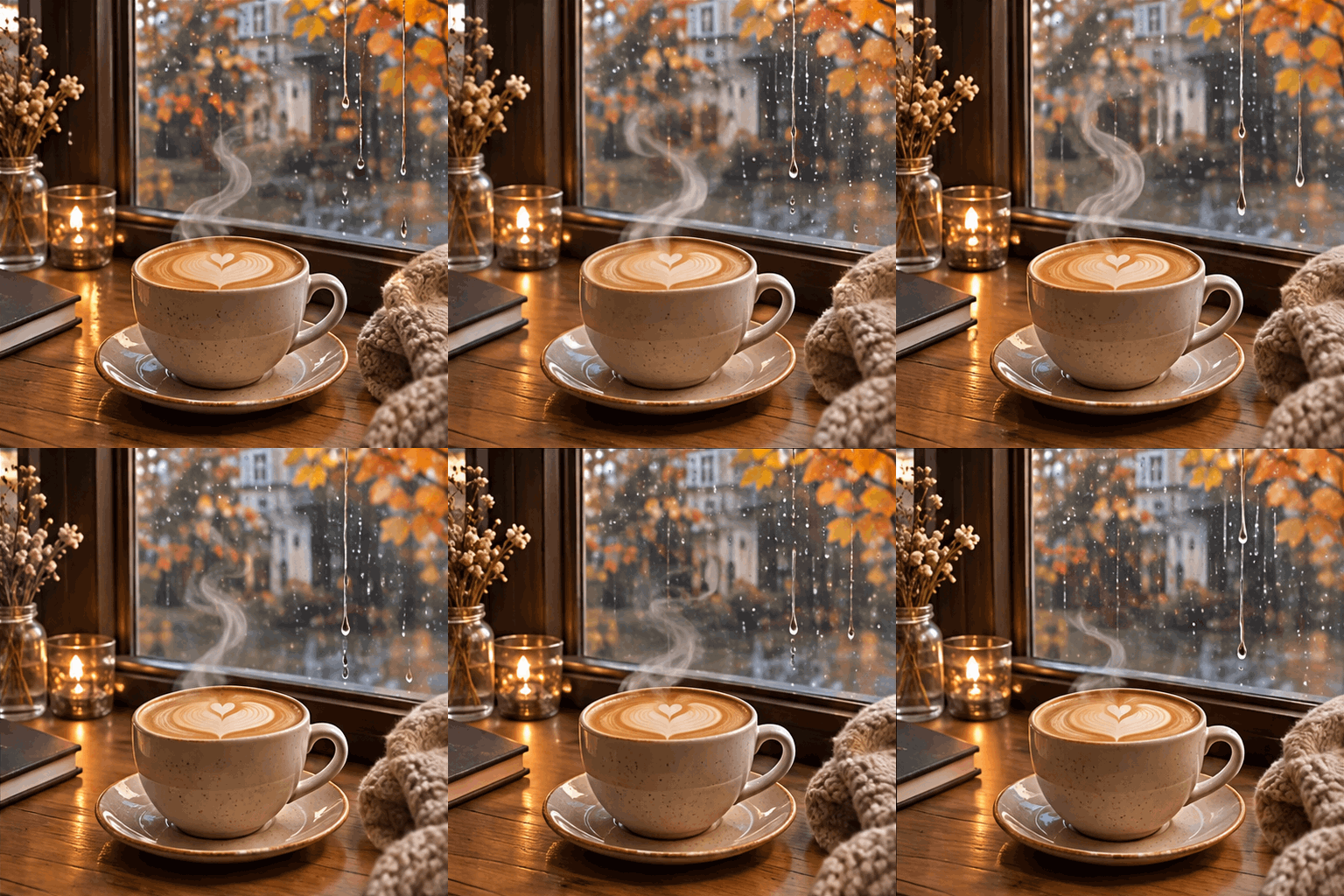
Luxe example made for this issue with beehiiv's built-in OpenAI image tool from a close version of the prompt. beehiiv doesn't say which OpenAI model version it runs, so treat this as a look to aim for, not an Images 2.6 test. Ours is animated, so it may show as a still frame in some email apps.
Needs: nothing, just the prompt
Make a looping GIF: a ceramic latte cup with heart latte art on a wooden cafe table beside a rainy window, warm morning light, autumn leaves outside. Only two things move: soft steam curls up from the cup, and raindrops slide down the glass. Everything else stays perfectly still. Make the last frame match the first so the loop is seamless.
Why it works: It names exactly which two things move and tells everything else to stay still, which keeps the loop clean. Asking for the last frame to match the first is what makes it loop without a jump.
Try it: ChatGPT · OpenAI: Introducing Images 2.6
What to check in your result
Watch the loop a few times. Look for a visible jump where it restarts, steam that pops in and out, and a cup or table that wobbles. If something jitters, ask ChatGPT to slow the speed or edit that frame.
One variation to try
Swap the cafe for a candle flickering on a windowsill, snow falling past a cabin window, or your brand mascot waving.
2. Your pet on a vintage travel poster
Saved references are the feature to set up once and reuse all season. Save a clear photo of your pet (or yourself, or a character you draw), give it a name, and every future prompt can tag it with @.
The exact prompt
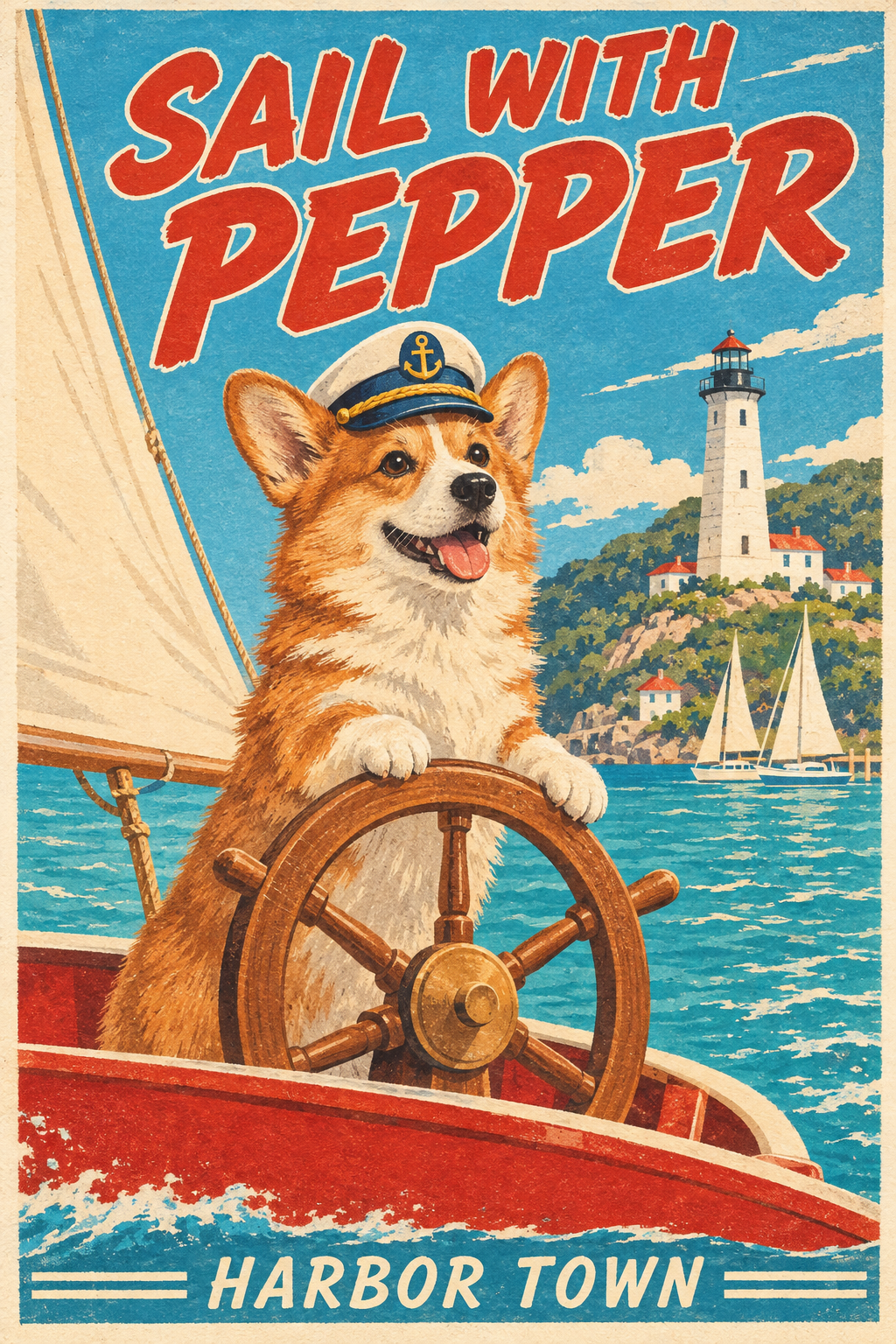
Luxe example made for this issue with beehiiv's built-in OpenAI image tool from a close version of the prompt. beehiiv doesn't say which OpenAI model version it runs, so treat this as a look to aim for, not an Images 2.6 test. We described a made-up corgi instead of using a saved photo, and filled in Pepper and Harbor Town.
Needs: one saved reference image of your pet
Make a 1950s vintage travel poster starring @[PET NAME] as the captain of a small red sailboat on a bright turquoise bay, wearing a tiny captain's hat, with a white lighthouse and hills behind. Flat screen-printed colors and slight paper grain. At the top, large hand-lettered text reads "SAIL WITH [PET NAME]" and at the bottom smaller text reads "[YOUR TOWN]". Keep @[PET NAME]'s face, markings and colors exactly like the saved reference. Spell every word exactly as written.
Why it works: The saved reference handles the likeness, so the prompt can spend its words on style: an era, a print method and a layout. The last two lines ask for exact lettering and an unchanged face and markings.
Try it: ChatGPT · OpenAI release notes (Nov 4)
What to check in your result
Compare the markings and face to your real pet: ear shape, patches and eye color are where likeness slips. Read both lines of text letter by letter.
One variation to try
Make it a series: the same @ pet on a ski-resort poster, a national-park poster and a 1960s airline ad. The saved reference keeps it consistent across all three.
3. Move a product onto a holiday mantel
If you sell anything, this is the edit you'll make most this month. Upload one clean photo of your product and change only the background, which is exactly the kind of edit OpenAI says 2.6 keeps steadier.
The exact prompt
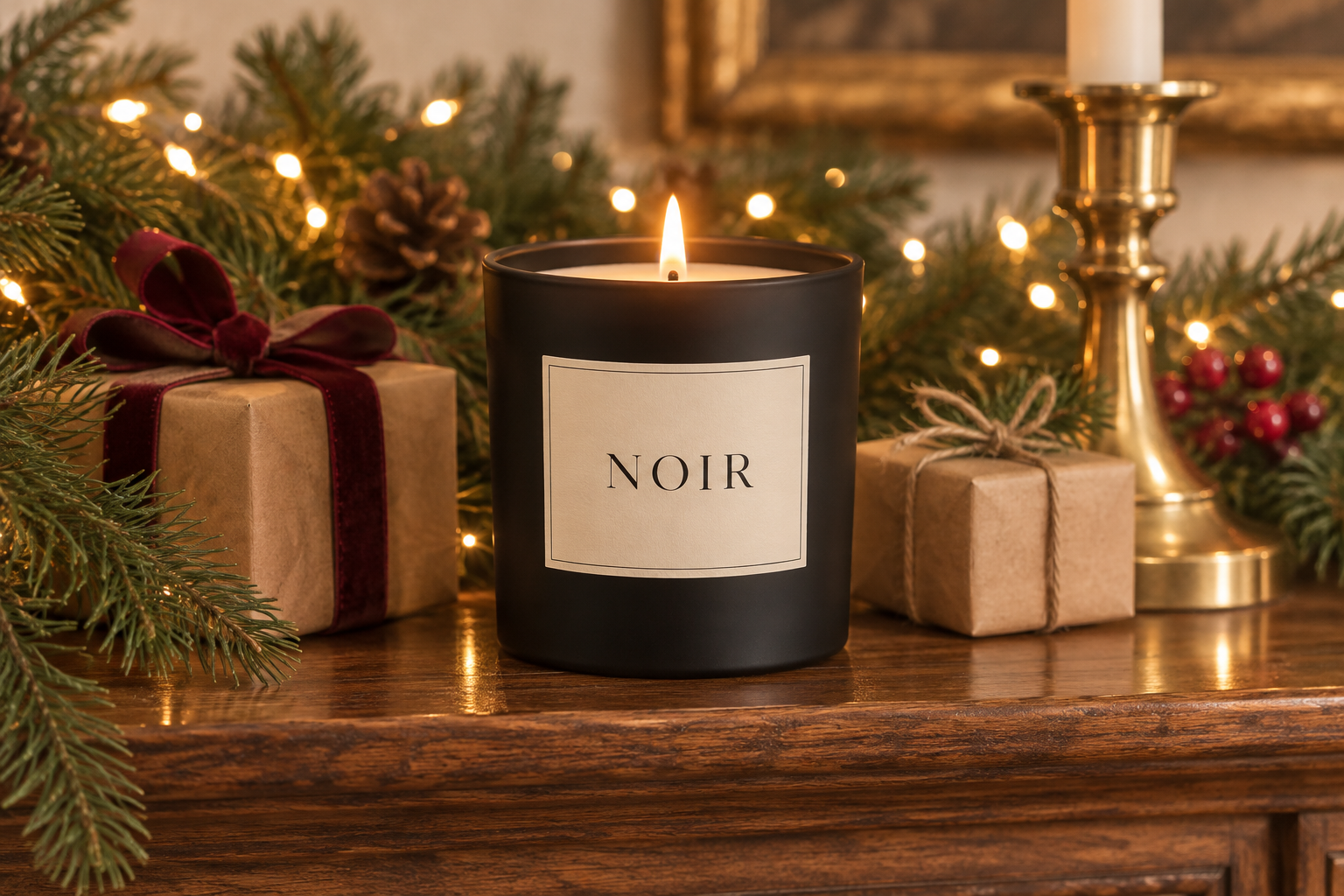
Luxe example made for this issue with beehiiv's built-in OpenAI image tool from a close version of the prompt. beehiiv doesn't say which OpenAI model version it runs, so treat this as a look to aim for, not an Images 2.6 test. Ours was generated from a description of a made-up candle called NOIR, not edited from a real product photo.
Needs: one clear photo of your product
Keep the product exactly as it is: same shape, label, logo, colors and size. Change only the background: place it on a wooden fireplace mantel decorated for the holidays, with pine garland, softly blurred warm string lights, two small wrapped gifts and a brass candlestick. Match the lighting on the product to the new scene, keep it centered and in sharp focus, and don't add or change any text.
Why it works: It starts with what must not change before it says what should. The line about not adding or changing text protects your label, which is the first thing an edit tends to ruin.
Try it: ChatGPT · OpenAI: Introducing Images 2.6
What to check in your result
Zoom in on the label and logo and compare them to your original letter by letter. Check that the product didn't change size or shape and that its shadow falls the same way as the new light.
One variation to try
Run the same product through three backgrounds (a snowy windowsill, a gift-wrapping table, a New Year's party) and you have a matching set for your shop.
Go deeper
Building with the API? OpenAI's https://developers.openai.com/api/docs/guides/image-prompting?model=gpt-image-2.6 explains when to pick Flare or Sunburst and how the new complexity setting works. For more prompt packs like this one, browse past issues at luxeprompting.com.
Source Desk
All three prompts are original Luxe editorial work written for this November 2026 issue. Feature details come from OpenAI's Images 2.6 announcement and release notes (November 4, 2026) and OpenAI's post on X. Example images are illustrative and were made with beehiiv's OpenAI-based image tool from text descriptions, with no real people or pets.
OpenAI: Introducing Images 2.6 · OpenAI release notes (Nov 4) · OpenAI on X (Nov 4)
A clearer brief. A more useful result.