In partnership with
 LUXE PROMPTING
LUXE MODEL FIRST LOOK
Ideogram Vector 1.0: 3 Prompts for Logos You Can Actually Edit
Ideogram released Vector 1.0 on October 22, its first model that outputs SVG files instead of flat pictures. Every shape and color stays editable, so you can open the result in Illustrator or Figma and change it.
That fixes the oldest problem with AI logos: a flat image goes blurry when you blow it up, and you can't fix one letter without starting over. Here are three prompts for the jobs Ideogram built it for: a wordmark, a sticker and a print poster.
10 Stocks at the Center of AI’s $1 Trillion Boom

AI’s growth story is much bigger than chatbots.
The market was already valued at an estimated $800 billion by late 2025, and continued adoption could push it beyond $1 trillion in the years ahead. That growth will require more data centers, computing power, software, networking and intelligent devices.
But the most obvious AI names may not be the only companies positioned to benefit.
MarketBeat’s free 10 Best AI Stocks to Own in 2026 report identifies ten publicly traded companies helping power the next phase of the AI buildout. Some are established leaders. Others occupy less obvious corners of the expanding AI ecosystem.
This free report names 10 stocks positioned to ride that wave before the rest of the market catches on.
The Short Version
- Vector 1.0 is live in the Ideogram app, on its API and on partner platforms. It makes SVGs from a prompt, or converts an image you already have.
- Prompt for vectors the way a print shop would: name a small set of flat colors, ask for solid shapes, and put every word in quotes.
- Three prompts to copy: a two-color wordmark, a die-cut Halloween sticker and a mid-century travel poster.
Why SVG matters
A vector file is made of shapes, not pixels. It stays sharp from a business card to a billboard, and each shape can be selected, recolored or moved on its own. Ideogram's own examples show swapping a whole palette in one step, and its launch post says that when you change the palette, the gradients follow.
Ideogram lists API prices from $0.13 to $0.20 per SVG for text-to-vector (up to $0.32 at high quality with reference images), and $0.10 to convert an existing image. Check your plan in the app for what's included there.
A practical tip: fewer colors make cleaner files. Every extra shade adds shapes you'll have to manage later, so the prompts below name an exact palette.
Our example images were not made with Ideogram Vector and are not SVGs. We generated them as flat images with beehiiv's built-in, Gemini-based image tool, so you can see the look each prompt asks for.
1. A two-color wordmark
A logo is the obvious first test. Two colors and a simple icon keep the SVG light and easy to reuse on a cup, a sign or a favicon.
The exact prompt
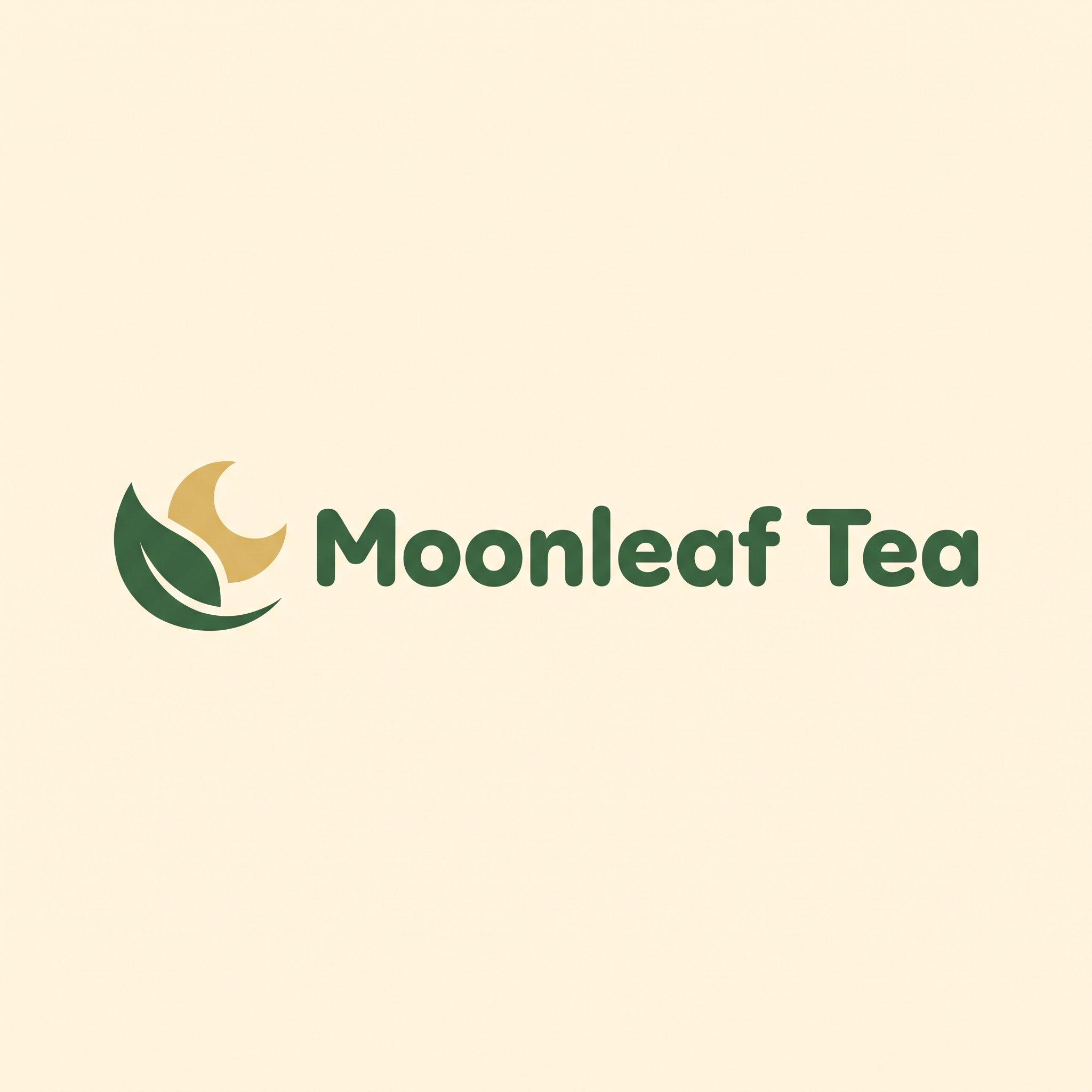
Illustrative example, not made with Ideogram Vector and not an SVG: generated as a flat image for this issue with beehiiv's Gemini-based image tool from this exact prompt. Ideogram Vector gives you an editable SVG instead.
In Ideogram: choose Vector, a square format, then paste
A clean flat vector logo on a plain warm cream background: the wordmark "Moonleaf Tea" in rounded, friendly deep-green lettering, with a small crescent moon tucked inside a single tea leaf as the icon to the left of the words. Two flat colors only, deep green and soft gold. Solid shapes, no gradients, no shadows, no texture, crisp edges, centered with generous space around it. No other words.
Why it works: Naming the exact colors and banning gradients, shadows and texture keeps the shape count low, so the file is clean to edit. The quoted name gives the lettering one job.
Try it: Ideogram Vector · Ideogram API
What to check in your result
Open the SVG in your editor and click the letters: each should be its own clean shape. Zoom in to 800% and check the curves for jagged points.
One variation to try
Ask for a stacked version ("icon above the words, centered") and a one-color version for stamps and embossing.
2. A die-cut sticker for Halloween week
Stickers and merch are where vectors pay off, because a cutting machine follows the outline. This one is timed for Friday.
The exact prompt
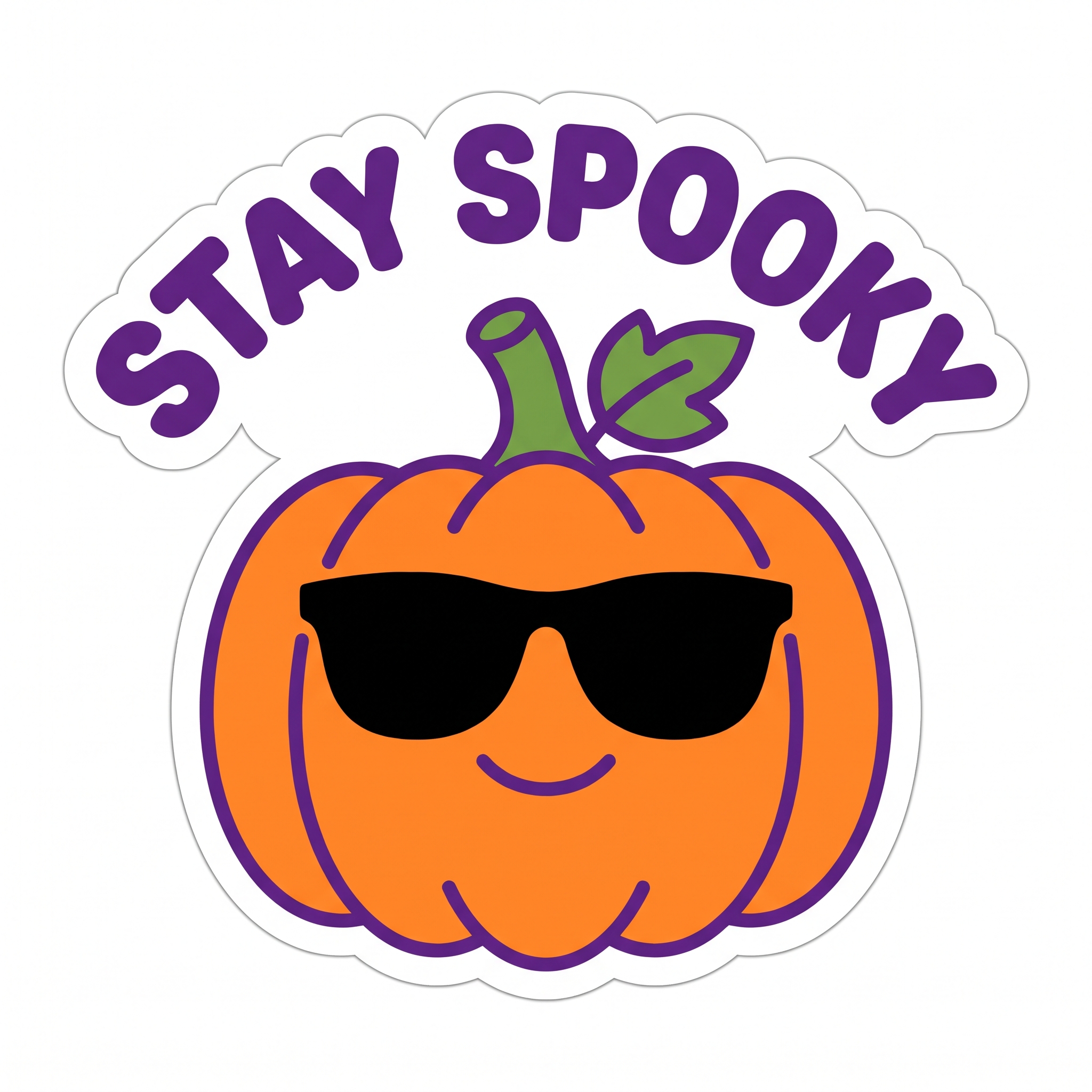
Illustrative example, not made with Ideogram Vector and not an SVG: generated as a flat image for this issue with beehiiv's Gemini-based image tool from this exact prompt. Ideogram Vector gives you an editable SVG instead.
In Ideogram: choose Vector, a square format, then paste
A flat vector die-cut sticker on a plain white background: a cheerful orange pumpkin wearing black sunglasses, with a short green stem and one leaf, surrounded by a thick white sticker border. Above it, the words "STAY SPOOKY" in bold rounded purple letters curving in an arc. Five flat colors only (orange, purple, black, green, white), bold clean outlines, no gradients, no texture. No other words.
Why it works: "Thick white sticker border" gives the printer a cut line, and bold outlines survive at small sizes. Five named colors keep it cheap to print.
Try it: Ideogram Vector · Ideogram API
What to check in your result
Check that the white border is one continuous shape around everything, including the text arc. That outline becomes your cut path.
One variation to try
Swap the pumpkin for your brand mascot or pet, and change "STAY SPOOKY" to any short phrase of two or three words.
3. A print poster that scales to any size
Mid-century travel posters are made of flat, layered shapes, which is exactly what an SVG is. Print it as a postcard or as a 24-by-36-inch poster from the same file.
The exact prompt
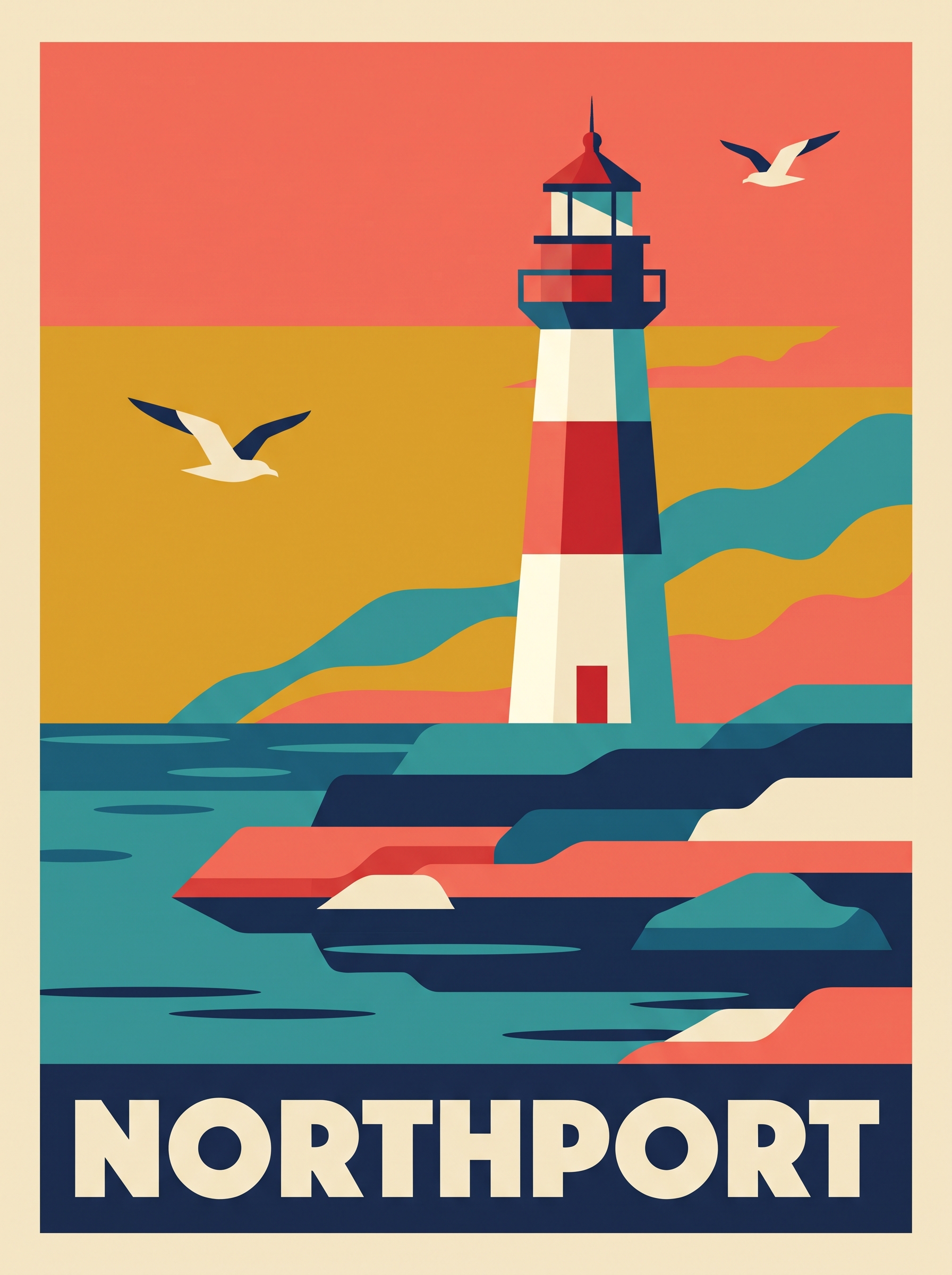
Illustrative example, not made with Ideogram Vector and not an SVG: generated as a flat image for this issue with beehiiv's Gemini-based image tool from this exact prompt. Ideogram Vector gives you an editable SVG instead.
In Ideogram: choose Vector, a portrait format, then paste
A flat vector travel poster in a mid-century style: a white-and-red lighthouse on layered rocky cliffs above a calm sea at sunset, two seagulls, simple layered hills behind. Six flat colors only (teal, navy, coral, mustard, cream, red), solid layered shapes, clean geometric edges, no texture. At the bottom, the word "NORTHPORT" in bold cream sans-serif capitals on a navy band. No other words.
Why it works: "Layered shapes" and a six-color palette match how screen-printed posters are built, so the result separates neatly into editable layers.
Try it: Ideogram Vector · Ideogram API
What to check in your result
Recolor the whole poster to a second palette in your editor. If the sky and sea change cleanly, the file is well built. Then check the lettering at full size.
One variation to try
Change the place name and landmark to your own town: a bridge, a pier, a clock tower. Keep the palette line so a series looks like a set.
Before you print
- Open the SVG and count the colors. Merge near-duplicates before sending it to a printer.
- Search for existing trademarks before using any AI-made logo for a real business.
- Check the spelling of every word at full size.
- Already have a logo as a flat image? Try Ideogram's image-to-vector conversion instead of redrawing it.
Also new this week
Canva released Craft on October 22, its first image model, built for layouts and text, and free to try in Canva's Dream Lab. A Craft poster and an Ideogram vector logo make a good pairing.
Source Desk
All three prompts are original Luxe editorial work written for this October 2026 issue. Model details and prices come from Ideogram's Vector page and its launch post on X (October 22, 2026); prices are API list prices at the time of writing. Canva Craft details come from Canva's announcement (October 22, 2026). Example images are illustrative flat images, not SVGs, and were not made with Ideogram Vector.
Ideogram: Vector model page · Ideogram launch post on X (Oct 22) · Canva: Introducing Canva Craft (Oct 22)
A clearer brief. A more useful result.