
In partnership with

 LUXE PROMPTING
LUXE MODEL FIRST LOOK
Krea 3: 3 Edit Prompts That Change Only What You Ask
Krea released Krea 3 on October 15, a new image editing model built for speed. Krea says most edits come back in under 8 seconds at native 2K, and it takes up to six reference images per edit.
Its real pitch is restraint: change the scene around a product and the label stays sharp, give it a face and an outfit and the person stays the same. Here are three edit prompts, written the way Krea's own guide recommends, that you can run on your own photos today.
The AI notetaker that gets the hard words right

Your AI is only as good as what you feed it. Feed it a transcript with your product names, acronyms, and numbers spelled wrong, and you spend the afternoon hand-fixing the output.
Wispr Flow Notetaker uses your dictionary and calendar, so product names, acronyms, numbers, and uncommon names come out spelled right. It pops up when your meeting starts and captures Zoom, Google Meet, Teams, and Slack huddles with one click, no bot joining the call.
Then your meetings show up inside Claude or ChatGPT through the built-in connector. No copy paste. Try Notetaker free on Mac and Windows.
The Short Version
- Start every Krea 3 prompt with what stays, then describe the change the way a photographer would.
- With several images, say what each one is for: "image 1 is the room, image 2 is the chair".
- Three edits to copy: a packshot turned campaign photo, a one-object swap in a room, and one person in a new outfit and place.
How to use these prompts
Krea 3 is on krea.ai, and through fal, Replicate, OpenRouter, Together AI and other partners. Krea lists it at $0.06 per image at 2K and $0.03 at 1K. Upload your photos in the order each prompt names them, paste the prompt and edit anything that doesn't match your images.
Krea's speed figures come from its own platform: a median of 33 seconds per edit for Nano Banana Pro and 90 seconds for GPT Image 2, measured on Krea from September 24 to October 1, against under 8 seconds for Krea 3. Treat them as the vendor's numbers until independent tests catch up.
Krea's prompt guide boils down to four habits: open with what must not change and name it (the label, the logo); describe the change in terms of scene, light and camera; say what each reference image is for; and use "only" when the edit should touch one thing. All three prompts below follow that pattern.
Our example images were not made with Krea 3. We generated them with beehiiv's built-in, Gemini-based image tool to show the result each prompt asks for.
1. Turn a packshot into a campaign photo
This is the edit Krea built the model around: a product on a plain background becomes a styled lifestyle shot, and the label survives.
The exact prompt
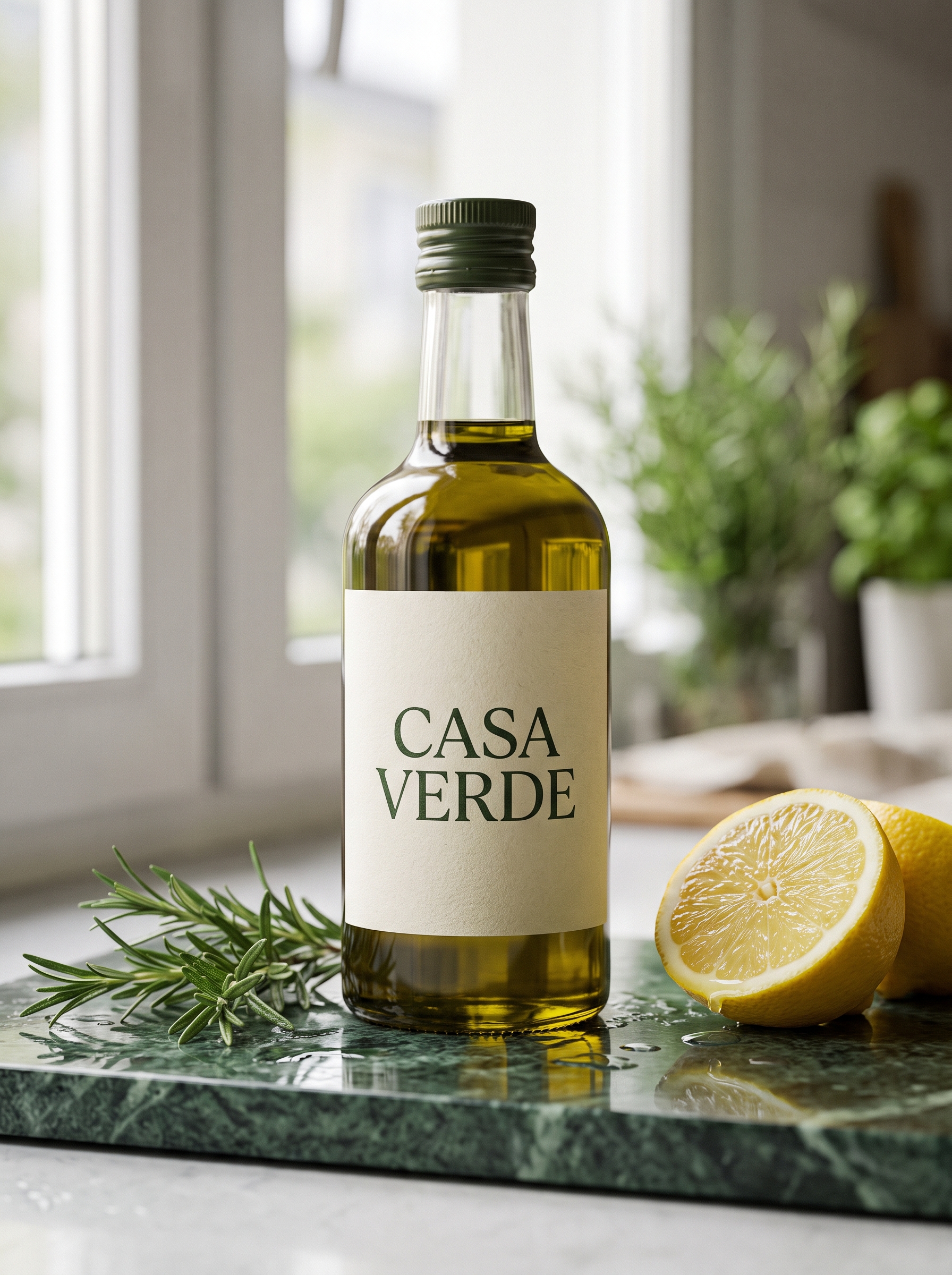
Illustrative example, not made with Krea 3: generated for this issue with beehiiv's Gemini-based image tool from the scene the prompt describes. Your Krea 3 result will start from your own photos and will differ.
Upload: 1 photo of your product (any plain background)
Image 1 is the product. Keep the product exactly as it is: the same shape, the same label, the same logo and every word on the label, sharp and unchanged. Replace only the plain background with a new scene: the bottle stands on a wet slab of dark green marble beside a few sprigs of fresh rosemary and a cut lemon, with a soft blurred kitchen window behind. Late-morning window light from the left, gentle reflections on the marble, shallow depth of field, shot on a 100mm macro lens at eye level. Premium editorial product photography.
Why it works: It locks the product first and names the parts most likely to drift (label, logo, text), then gives the new scene as light, surface and lens, so the model has nothing to reinvent.
Try it: Krea · Replicate · fal
What to check in your result
Zoom in on the label and read every word against your original. Then check that the shadow under the bottle falls away from the window light.
One variation to try
Swap the scene line for a seasonal one, like "on a snowy windowsill with pine sprigs and warm fairy lights", and keep the first two sentences exactly as they are.
2. Swap one object and leave the room alone
Most editors quietly redraw the whole picture. Krea's own demo swaps the furniture in a room and leaves the rug, the view and the person reading in the corner untouched. Here's that edit for one piece.
The exact prompt
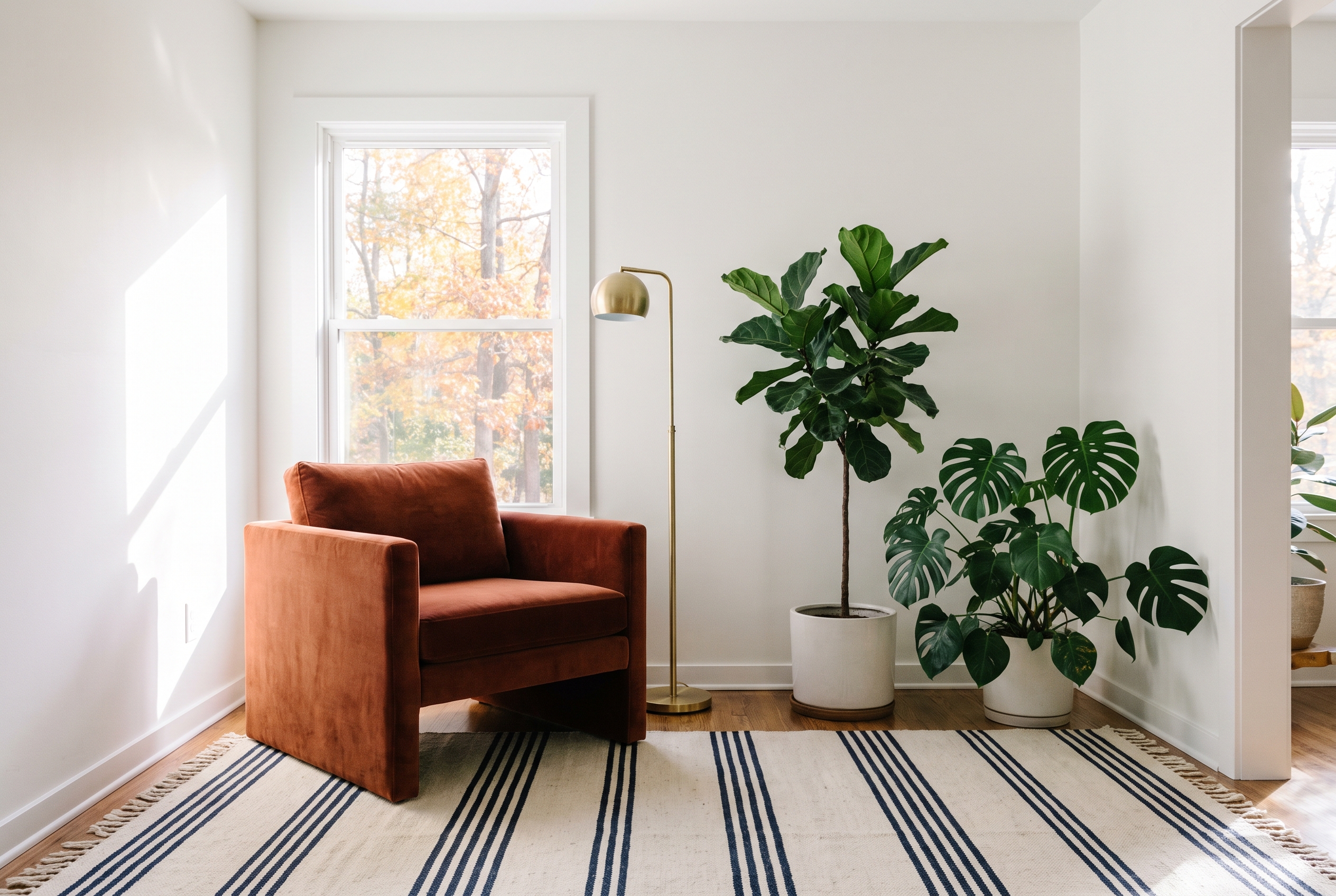
Illustrative example, not made with Krea 3: generated for this issue with beehiiv's Gemini-based image tool from the scene the prompt describes. Your Krea 3 result will start from your own photos and will differ.
Upload: 1 photo of the room, then 1 photo of the new chair
Image 1 is the room. Image 2 is the new armchair. Replace only the armchair in image 1 with the armchair from image 2, in the same position and at the same scale, facing the same way. Keep everything else exactly as it is: the rug, the walls, the window and the view, the plants, the lamp and the light. Match the new chair to the room's existing light direction and shadows so it looks photographed in place.
Why it works: "Replace only" plus a list of what stays tells the model where the edit ends. Asking it to match the room's light keeps the new chair from looking pasted in.
Try it: Krea · Replicate · fal
What to check in your result
Flip between the before and after. Anything that moved besides the chair, such as a plant leaf, the rug pattern or the window view, means you should add it to the keep list by name.
One variation to try
Use it for a paint test: "Change only the wall color to deep sage green. Keep the furniture, floor, art and light exactly as they are."
3. One person, a new outfit and a new place
Krea 3 can combine a face, an outfit and a location from separate photos. The prompt's job is to say which photo controls what.
The exact prompt
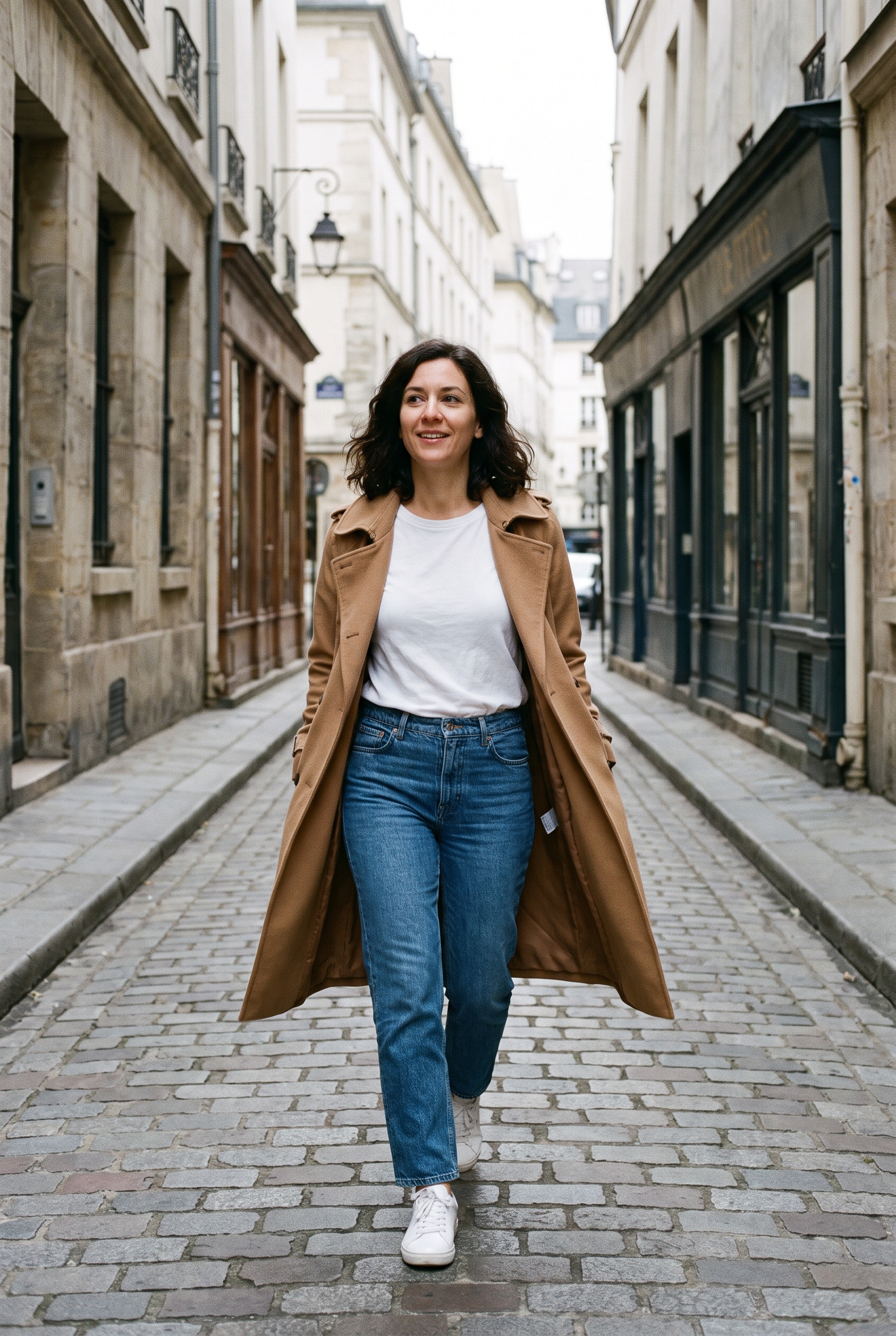
Illustrative example, not made with Krea 3: generated for this issue with beehiiv's Gemini-based image tool from the scene the prompt describes. Your Krea 3 result will start from your own photos and will differ.
Upload: 1 photo of the person (yourself, or someone who has agreed), 1 of the outfit, 1 of the location
Image 1 is the person: keep their face, hair and skin tone exactly the same. Image 2 is the outfit: dress them in it, with the same colors, fabric and fit. Image 3 is the location. Place the person in the location from image 3, walking toward the camera mid-stride and glancing slightly to the side. Editorial street-style photograph on 35mm film, overcast soft light, natural skin texture, slight film grain, full-length framing with space above the head.
Why it works: Each image gets one job and one sentence, so the model doesn't borrow the outfit model's face or the location's people. The camera line sets the look for the whole set.
Try it: Krea · Replicate · fal
What to check in your result
Compare the face to image 1 first. Then check the outfit's color and fabric against image 2. If the face drifts, move the keep sentence for image 1 to the very end of the prompt as well.
One variation to try
Keep images 1 and 2, swap image 3 for a different place and rerun. That's a consistent lookbook in a few seconds per shot.
Before you post
- Only edit photos of people who agreed to it, and never use someone else's product photos as your own.
- Read every word on labels and signs. Fast models still slip on small text.
- If something changed that you didn't ask for, name it in the keep list and run it again.
- Label AI-edited images where the platform asks you to.
Also new this week
Kling 4.0 launched on October 15 on kling.ai, with single clips of up to 30 seconds and up to 15 reference assets. Kuaishou lists API access as coming soon. A still you edit in Krea 3 can be a starting frame there.
Source Desk
All three prompts are original Luxe editorial work written for this October 2026 issue, following Krea's published prompting pattern. Model details, prices and speed figures come from Krea's Krea 3 announcement (October 15, 2026); the speed comparisons are Krea's own measurements. Kling 4.0 details come from Kuaishou's release (October 16, 2026). Example images are illustrative and were not made with Krea 3.
Krea: Introducing Krea 3 (Oct 15) · Kuaishou: Kling 4.0 launch (Oct 16) · Krea
A clearer brief. A more useful result.