In partnership with

 LUXE PROMPTING
LUXE FEATURE FIRST LOOK
MiniMax H3-Image Is Out: 3 Prompts for 4K Detail, One-Product Scenes and Recipe Posters
On Tuesday, November 10, MiniMax (the company behind Hailuo AI) released H3-Image: one model for text-to-image and editing that makes about 16-megapixel (4096 x 4096) images from up to 16 reference images. It is live in Hailuo AI, the MiniMax API and as open weights.
Three copy-paste prompts test its big claims: 4K detail, one product across scenes, exact poster lettering.
The voice-to-text app that built its own speech model

Most dictation apps are a wrapper around someone else's speech model. Wispr Flow trained its own.
It's called Canto, and it was built for the way people actually talk to AI: thinking out loud, changing direction mid-sentence, half-whispering in an open office.
Wispr tested it on 10 hours of real dictations from more than 2,300 speakers. Canto had the lowest word error rate of every model tested, including models from Google, OpenAI, AssemblyAI and Deepgram. That means your prompts to ChatGPT, Claude and Cursor come through the way you said them.
Talk naturally in any app and Wispr Flow types clean, formatted text, 4x faster than typing.
The Short Version
- MiniMax's claim: 4K (16 MP) images in under 10 seconds. An independent launch-day test measured 22 to 24 seconds at 4096 x 4096.
- What it supports: text-to-image, image editing, and 1 to 16 reference images. Not supported: transparent backgrounds and masked edits. These prompts test text-to-image, not editing.
- Open weights exclude the US, EU, UK and South Korea. The 50% launch discount ends November 17 at 16:00 UTC.
- Three prompts to copy: a 4K close-up, one product in three scenes, and an illustrated recipe poster.
What changed on November 10
On November 10, MiniMax announced H3-Image on X with a 4K image generation claim of about 10 seconds, available through its API, MiniMax Code and Hailuo AI. The blog post adds Standard and a faster Highspeed mode, and says one checkpoint handles text-to-image, reference-based generation and editing.
The speed claim needs context. MiniMax's own figure is under 10 seconds; an independent tester who ran 170+ images through the API on launch day measured 22 to 24 seconds at 4096 x 4096. The open weights use a community license that excludes the EU, the UK, the US and South Korea, so check it before downloading anything. The Hailuo app and the API are separate services with their own terms.
For developers: MiniMax's pricing page lists 50% off H3-Image requests that deliver at least 16.6 million pixels until November 17 at 16:00 UTC (8:00 AM Pacific). If you are reading this after that window, check the pricing page before you batch.
The example images below are illustrations, not H3-Image output. We made them with beehiiv's Gemini-based image tool to show what each prompt asks for.
1. A 4K close-up that shows off real texture
Big resolution only matters if the small stuff holds up. A macro shot of a busy little object is the fastest way to see whether 16 megapixels means real detail or just a bigger blur.
The exact prompt
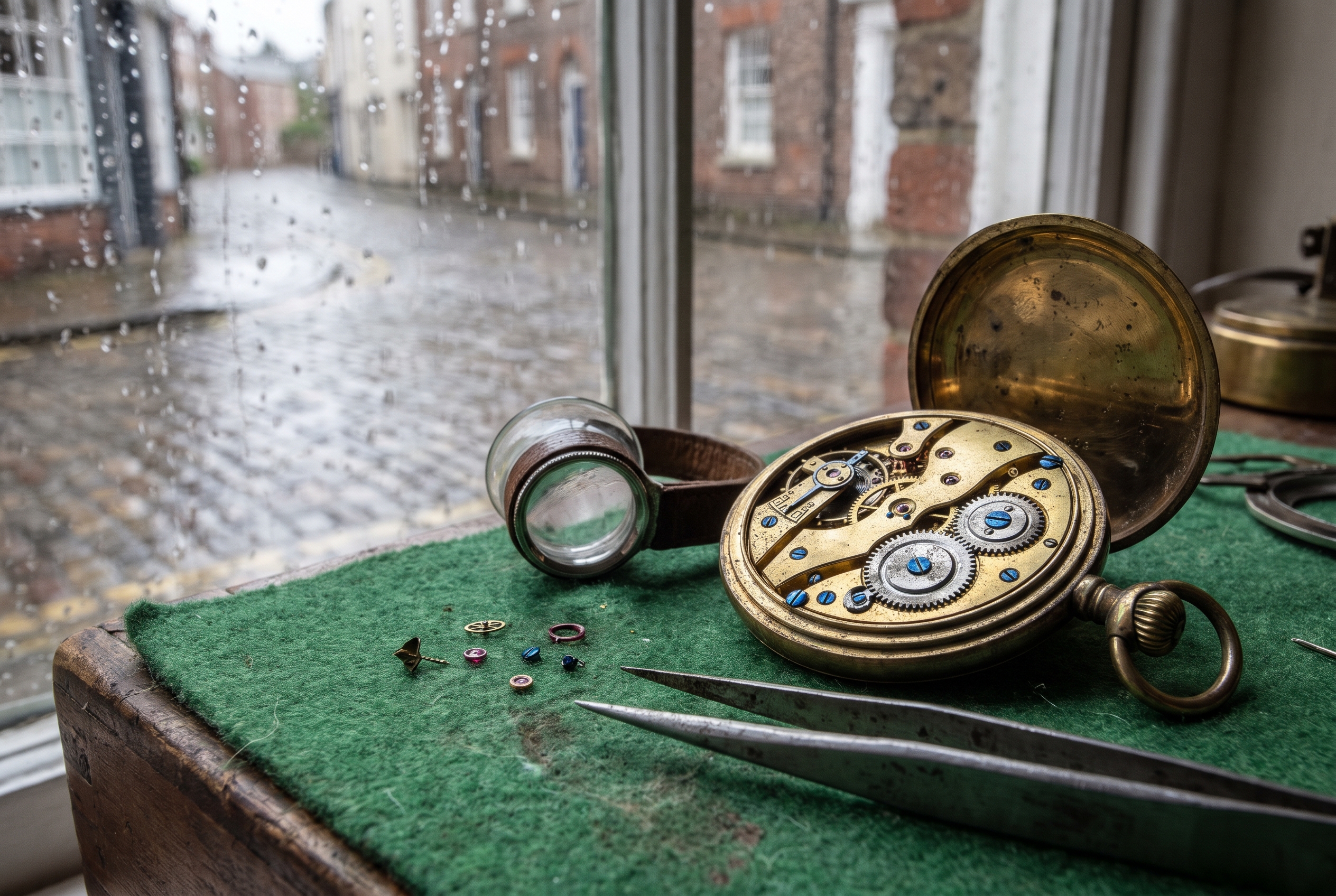
Illustrative image (not H3-Image output). The clockmaker's bench is fictional.
Needs: nothing, just the prompt. Choose the 4K option (the app also offers 1K and 2K).
A 4K macro photograph of [SMALL DETAILED OBJECT, e.g. an open brass pocket watch movement with tiny gears and screws] on [SURFACE, e.g. a green felt mat] beside a rainy window. Soft gray daylight from the left, shallow depth of field. Show real material texture: worn metal, tiny screws, fabric fibers, raindrops on the glass. Natural photo look. No text, no logos, no people.
Why it works: It names specific textures (worn metal, tiny screws, fabric fibers, raindrops) and one light direction, so the model focuses its detail on the surface instead of inventing a busy scene.
Try it: Hailuo AI (H3 Image) · MiniMax H3-Image announcement
What to check in your result
View it at 100% zoom. Check that the tiny screws are round and evenly spaced, the gears have teeth instead of a smear, and the raindrops sit on the glass rather than floating over the object.
One variation to try
Swap the watch for a hand-knit mitten, a bowl of ramen with steam, or frost on autumn leaves. Keep the window light and the texture list.
9 out of 10 clients get approved for Cherry Plans

At Cherry, we provide payment plans to 90% of pet parents. Plus, we make applying easy - with a 35-second online application they can submit right in the treatment room, and a soft credit check that doesn’t ding their credit history. Don’t let cost get in the way of care - with Cherry.
* These figures come from Cherry's provider case studies, so individual results vary. Details at withcherry.com/provider-reviews. Payment options through Cherry are issued by the following financing partners: withcherry.com/financing-partners
2. One product, three scenes, same label
This is the use MiniMax itself pushes for H3-Image: take one product and drop it into every scene a shop needs, without the label changing. Upload your own product photos as references.
The exact prompt
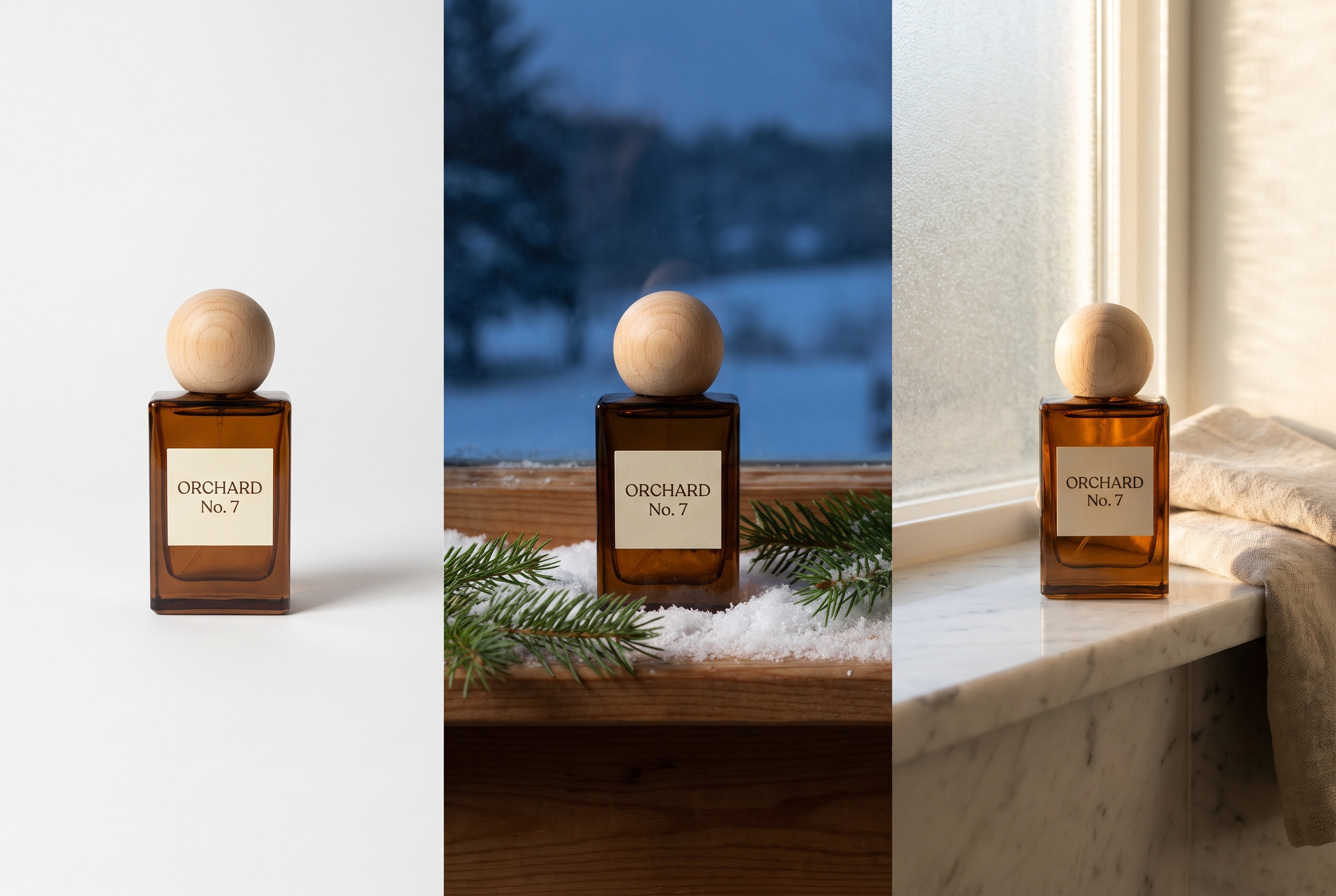
Illustrative image (not H3-Image output). ORCHARD No. 7 is a fictional perfume.
Needs: 1 to 3 clean product photos. The model accepts up to 16 references; three is enough for this test.
Use the product in my reference photos. Create one image with three equal side-by-side panels showing the SAME product in three scenes: left, a white studio sweep with a soft shadow; middle, a snowy windowsill with pine sprigs at dusk; right, a sunlit marble shelf next to a folded linen towel. Keep the product's shape, color, cap and label identical in every panel, and keep the label spelled exactly "[YOUR LABEL TEXT]". Photorealistic product photography. No other text anywhere.
Why it works: Reference photos anchor the product, and the exact-spelling line tells the model to preserve the label. Putting all three scenes in one image makes any drift between them easy to spot.
Try it: Hailuo AI (H3 Image) · MiniMax on X (Nov 10)
What to check in your result
Read the label letter by letter in every panel, then compare the cap shape and glass color. One tester found that chaining edit after edit slowly adds texture, so for new scenes go back to your original photo each time instead of editing the last result.
One variation to try
Make a gift-guide set: the same product on a holiday table, in a wrapped box, and in someone's hands by a fireplace.
3. A recipe poster with exact lettering
MiniMax also pitches H3-Image for turning information into diagrams and posters. A four-step recipe card is a friendly way to test that: short labels, clear order, simple drawings.
The exact prompt
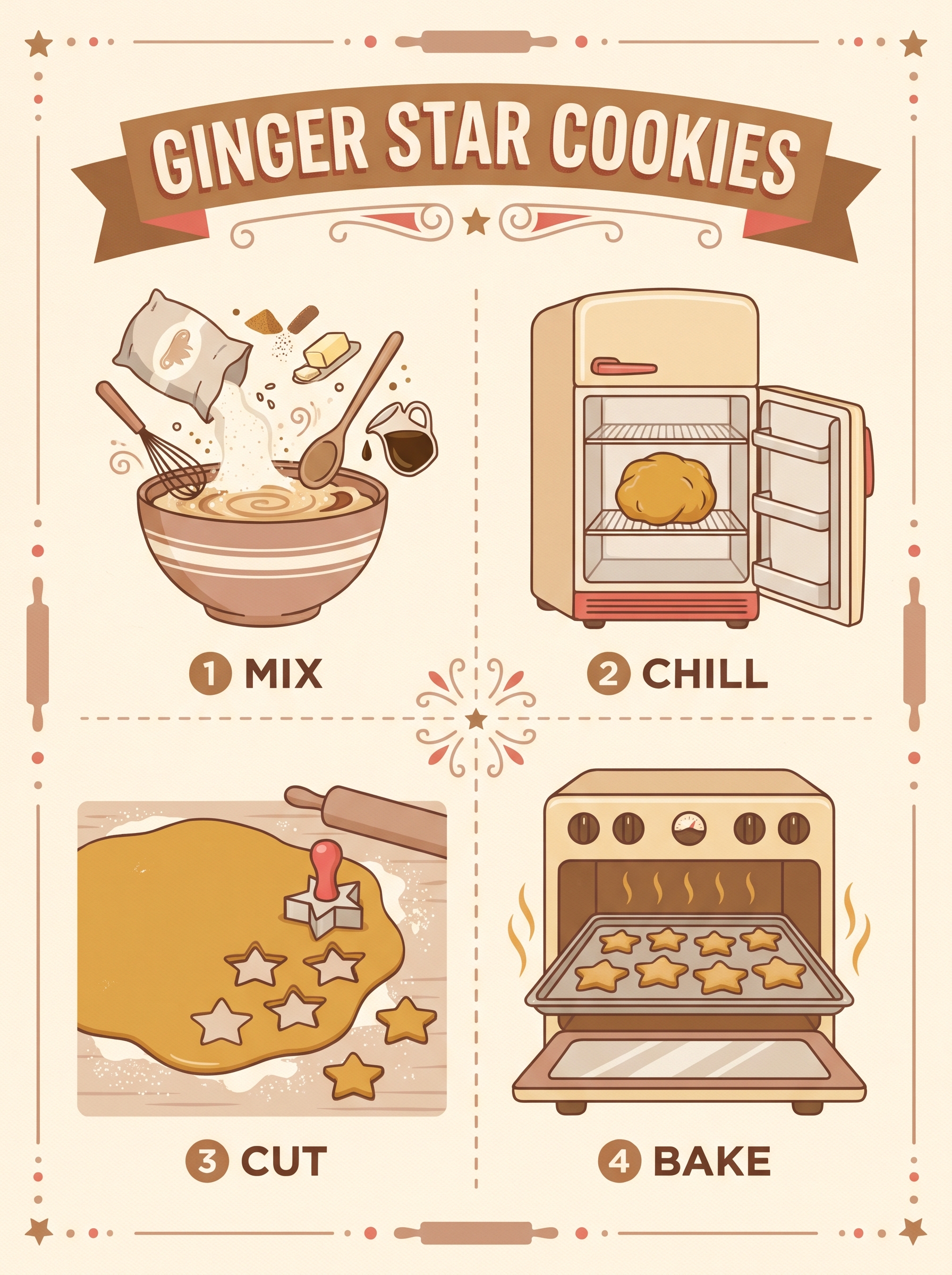
Illustrative image (not H3-Image output). The Ginger Star Cookies recipe is fictional.
Needs: nothing, just your recipe name and four one-word steps
Create an illustrated recipe poster on warm cream paper. Large title at the top reading exactly "[RECIPE NAME]". Below it, four numbered steps in a 2x2 grid, labeled exactly "1 [STEP]", "2 [STEP]", "3 [STEP]" and "4 [STEP]", each with a simple flat illustration of that step. Brown, cream and soft red palette, friendly mid-century kitchen style, generous margins. No other words or numbers anywhere.
Why it works: Short, quoted labels tell the model exactly what to spell, while "no other words" discourages filler text. The fixed 2x2 grid keeps the steps in order.
Try it: Hailuo AI (H3 Image) · MiniMax image API guide
What to check in your result
Check every letter in the title and the four labels, look for stray extra words, and make sure the steps read in order. Keep the words in English: one tester saw more spelling errors with accented letters.
One variation to try
Turn it into a holiday party timeline ("1 SHOP", "2 PREP", "3 COOK", "4 SERVE") or a plant care card.
Go deeper
MiniMax's announcement covers modes and availability, and the API guide lists sizes and limits. If you run models locally, read the license on the Hugging Face model page first. For more prompt packs like this one, browse past issues at luxeprompting.com.
Source Desk
All three prompts are original Luxe editorial work written for this November 2026 issue. Release details come from MiniMax's November 10 post on X, MiniMax's H3-Image blog post, MiniMax's API docs and pricing page, and the Hugging Face model card. Launch-day timing and test notes come from an independent review (quantslant.com, November 10, 2026). Example images are illustrative and were made with beehiiv's Gemini-based image tool, not H3-Image.
MiniMax on X (Nov 10) · MiniMax H3-Image announcement · MiniMax image API guide · H3-Image weights and license on Hugging Face · Independent launch-day test
A clearer brief. A more useful result.