In partnership with

 LUXE PROMPTING
LUXE FEATURE FIRST LOOK
Seedream 5.5 Is Here: 3 Prompts to Test Its Transparent Stickers, Tiny Text and Real Skin
ByteDance released Seedream 5.5 today, November 9. Its pitch is three upgrades: images with real transparent backgrounds, much better small text, and portraits that look less glossy and more like real photos.
Each prompt below tests one of those claims, so you can see for yourself whether it holds up.
The Agentic Engineering Playbook top engineers are using

Most engineers are stuck babysitting AI one prompt at a time. A handful have figured out how to build agents that plan, execute, and self-correct on their own.
Sign up for The Code newsletter and get access to The Complete Playbook for Agentic Engineering. Claude Code, subagents, MCP, all of it.
The Short Version
- Seedream 5.5 is rolling out in Dreamina now. On launch day Dreamina said it's live in Southeast Asia, the Middle East, Africa, Europe and South America, with more regions coming. CapCut says it's coming there too.
- New: native transparent (RGBA) output, steadier editing across many rounds, more natural skin and lighting, and clearer small text.
- Three prompts to copy: a transparent sticker set, a newspaper front page with your own headline, and a no-filter window-light portrait.
What changed on November 9
ByteDance's Seed team says Seedream 5.5 keeps the parts of an image you didn't ask to change pixel for pixel, so you can keep editing the same picture. Its demo runs 100 edits in a row on one portrait. It can also generate images with an alpha channel, meaning truly transparent or semi-transparent backgrounds, so a sticker or product cutout drops straight into a design with no background removal.
The other two upgrades are realism and text. ByteDance says skin, materials and lighting look more natural with less of the shiny, overexposed AI look, and that small, dense text such as newspaper columns renders far more accurately. Its own tests report a severe text-error rate of 0.4%. These are ByteDance's numbers from its own evaluations, not ours.
Where to try it: Dreamina is the main place right now. If it hasn't reached your region yet, save these prompts for when it does; they also work as good tests in any image model. ByteDance says a Pro version of 5.5 will follow.
Our example images were not made with Seedream 5.5. We made them with beehiiv's built-in, Gemini-based image tool to show the look each prompt is going for.
1. A transparent autumn sticker set
Transparent output is the most useful new trick here. Ask for separate pieces with real transparency, and you get assets you can drop onto a story, a shop banner or a planner page.
The exact prompt

Illustrative example, not made with Seedream 5.5: generated for this issue with beehiiv's Gemini-based image tool from a close version of the prompt, so you can see the look it's going for. Ours sits on white because this tool doesn't make transparent files.
Needs: nothing, just the prompt (download as PNG)
Generate a transparent-background PNG: a set of five separate die-cut stickers, each with a thin white border: a pumpkin spice latte cup, a red maple leaf, a striped knit scarf, a glowing paper lantern, and a hand-lettered badge that reads "COZY SEASON". Flat illustrated style with subtle grain and a warm autumn palette. Leave real transparency around and between the stickers, with no background color, no checkerboard pattern and no drop shadow on the background. Spell every word exactly as written.
Why it works: It names every piece and says what the background must not be. Models often fake transparency by drawing a grey checkerboard, and the prompt rules that out.
Try it: Dreamina · ByteDance Seed: Introducing Seedream 5.5
What to check in your result
Download the PNG and drop it onto a dark background. If you see a white box or a checkerboard, the transparency isn't real. Check the edges of the scarf fringe and lantern glow, where cutouts usually look rough.
One variation to try
Make a brand kit instead: your logo, three icons and a badge with your shop name, all on transparency.
2. A newspaper front page with your headline
Newspaper pages are the hardest text test there is: a masthead, a headline and columns of tiny body text. ByteDance showed exactly this kind of page in its launch post, so it's a fair test.
The exact prompt
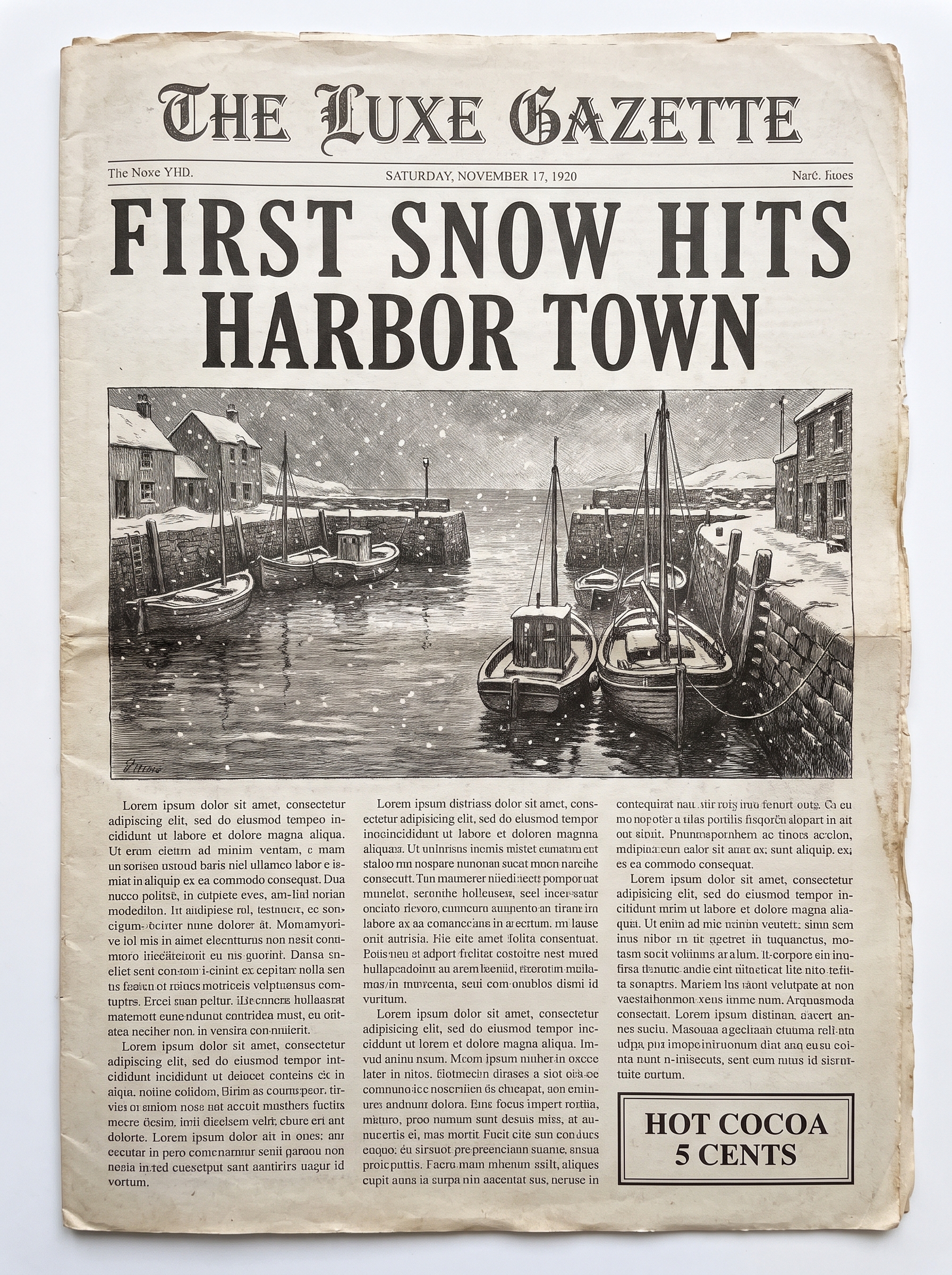
Illustrative example, not made with Seedream 5.5: generated for this issue with beehiiv's Gemini-based image tool from a close version of the prompt, so you can see the look it's going for. Ours uses THE LUXE GAZETTE, FIRST SNOW HITS HARBOR TOWN and HOT COCOA 5 CENTS. Its small column text is not real writing, which is exactly what this prompt tests.
Needs: nothing, just the prompt and your own words
A vintage 1920s newspaper front page, photographed flat from above in soft daylight. Masthead: "THE [YOUR NAME] GAZETTE". Main headline in bold condensed serif: "[YOUR HEADLINE]". Below it, an engraving-style illustration of [YOUR SCENE], then three narrow columns of small, readable English body text about the headline, and a small boxed ad that reads "[YOUR AD TEXT]". Aged off-white newsprint with slight folds. Spell every word exactly as written.
Why it works: Quoted text plus a request for exact spelling covers the big type, and asking for readable English body text about the headline pushes the model to write real sentences in the small columns instead of filler shapes.
Try it: Dreamina · ByteDance Seed: Introducing Seedream 5.5
What to check in your result
Read the masthead and headline letter by letter, then zoom in on the columns: are they real words that make sense, or letter-shaped noise? That's the difference ByteDance is claiming.
One variation to try
Make it a birthday or anniversary gift: the newspaper from the day someone was born, with a headline about them.
3. A window-light portrait with no filter
This one tests the realism claim. Most AI portraits still look shiny and airbrushed, so the prompt asks for the opposite.
The exact prompt
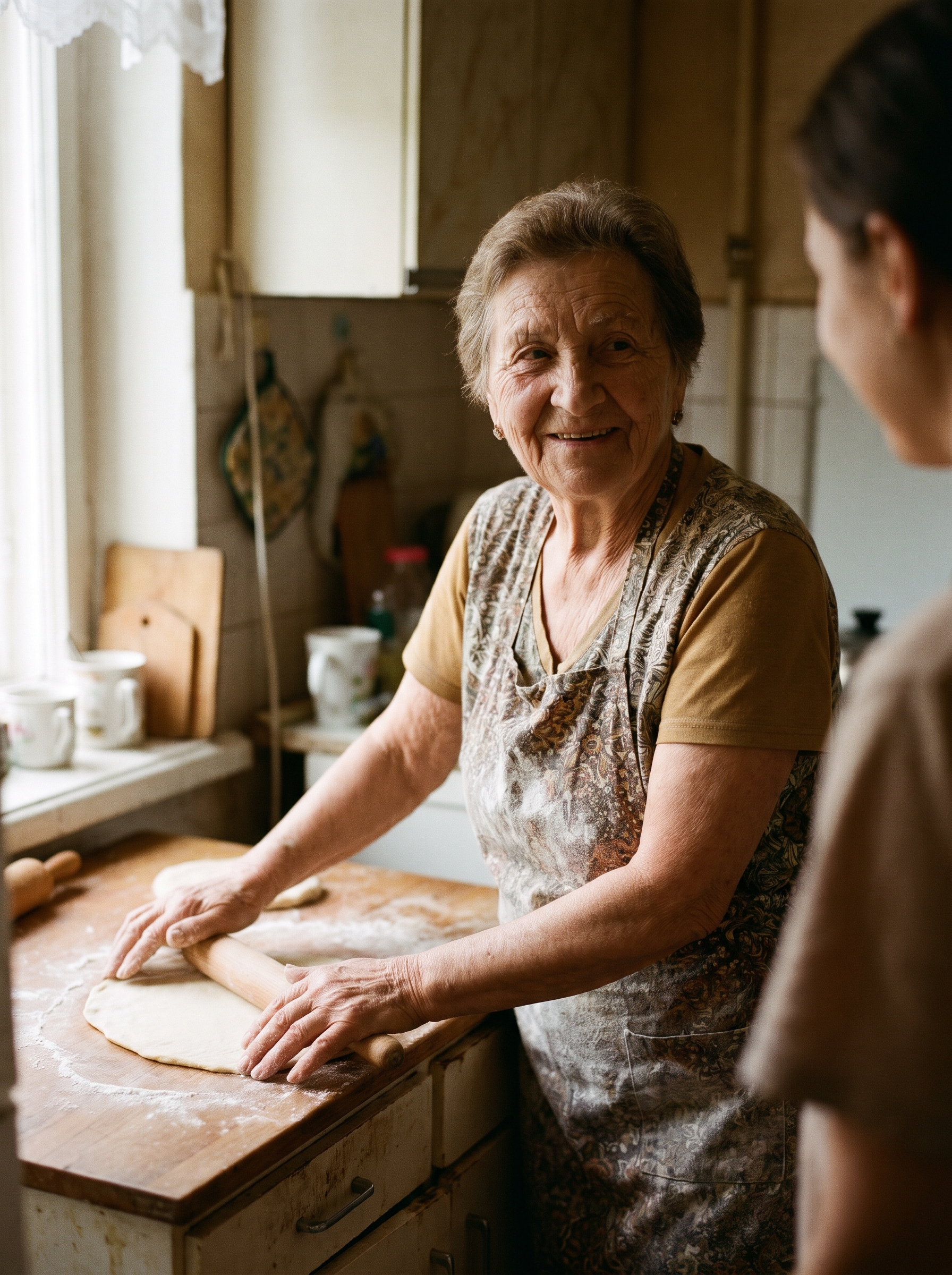
Illustrative example, not made with Seedream 5.5: generated for this issue with beehiiv's Gemini-based image tool from a close version of the prompt, so you can see the look it's going for. Ours shows a made-up grandmother rolling pie dough in her kitchen.
Needs: nothing, just the prompt
Candid documentary photo of [WHO] [DOING WHAT] in [WHERE], looking at something off camera. Soft window light from the left. Natural skin texture with visible pores and fine lines, no gloss, no beauty filter, no overexposure. Shot on a 50mm lens at f/2, muted warm colors, slight film grain.
Why it works: One light source, a real lens and aperture, and a list of things to avoid (gloss, beauty filter, overexposure) steer the model away from the plastic look.
Try it: Dreamina · ByteDance Seed: Introducing Seedream 5.5
What to check in your result
Zoom in on the skin around the eyes and hands. You want pores and fine lines, not wax. Check that the light only comes from the window side and that the highlights aren't blown out.
One variation to try
Fill the brackets for your own holiday scene: a dad carving a turkey, a kid writing a letter to Santa, friends playing cards by the fire.
Go deeper
ByteDance's https://seed.bytedance.com/en/blog/more-realistic-images-more-stable-editing-across-100-rounds-introducing-seedream-5-5 has side-by-side demos of the 100-round edit and the transparent owl. For more prompt packs like this one, browse past issues at luxeprompting.com.
Source Desk
All three prompts are original Luxe editorial work written for this November 2026 issue. Model details come from ByteDance Seed's Seedream 5.5 announcement (November 9, 2026) and launch posts from Dreamina and CapCut on X. Accuracy figures are ByteDance's own. Example images are illustrative and were made with beehiiv's Gemini-based image tool, not Seedream 5.5.
ByteDance Seed: Introducing Seedream 5.5 · Dreamina on X: rollout regions (Nov 9) · CapCut on X (Nov 9)
A clearer brief. A more useful result.