LUXE PROMPTING
CHARACTER WORKSHOP
One Character, Three Scenes: Keep Mira Recognizable
A picture can be beautiful and still show the wrong person. Mira starts as a clear studio reference, then repairs a telescope and inspects a lens at her workbench. Here is a simple way to change the story while keeping the character recognizable.
The Short Version
- Choose one approved identity reference before changing the scene.
- Carry Mira's face, short coily bob, navy jacket, and copper clasp into each new frame.
- Change the task, light, pose, and crop deliberately, then compare the result with the reference.
Start with the person, not the backdrop
Mira is an original fictional observatory repair technician. Her studio image makes the review easy: we can see her face, short voluminous coily bob, navy field jacket with muted-purple stitching, circular copper clasp, and full outfit in one frame. Keep that file as your approved identity reference.
Write down the four details that a reader would notice first. A short list is easier to inspect than a long paragraph of mood words. If the next image loses her face or hair silhouette, a lovely background will not rescue the character.
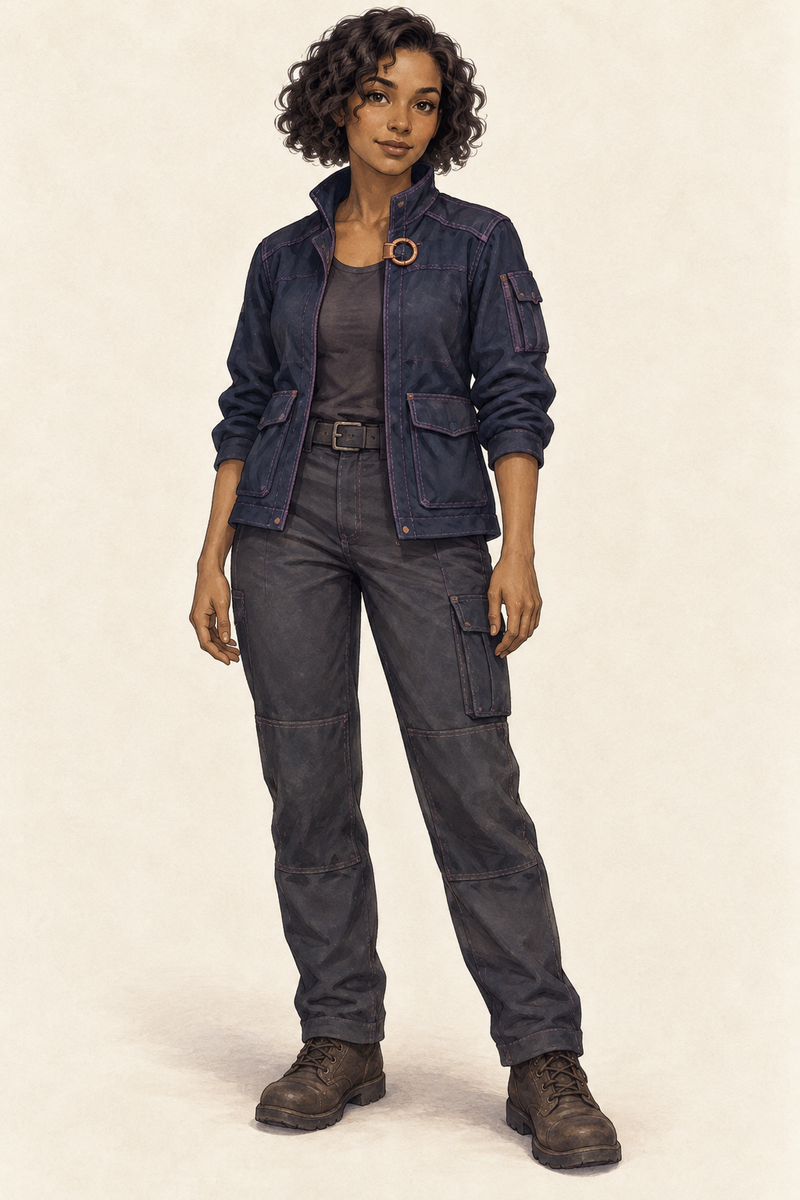
Studio anchor: approve the person before moving her into a scene.
Scene two: put Mira to work
At the observatory, Mira adjusts a brass telescope beneath a starry dome. Her pose, camera distance, background, and lighting change. The practical question stays the same: does she still look like the woman in the studio reference? Compare the face and bob first, then the jacket and clasp where they are visible.
The task should also read clearly. A hand near a telescope is not enough if the instrument interaction makes no sense. Look at the focus control and her hands at the size a reader will actually see.
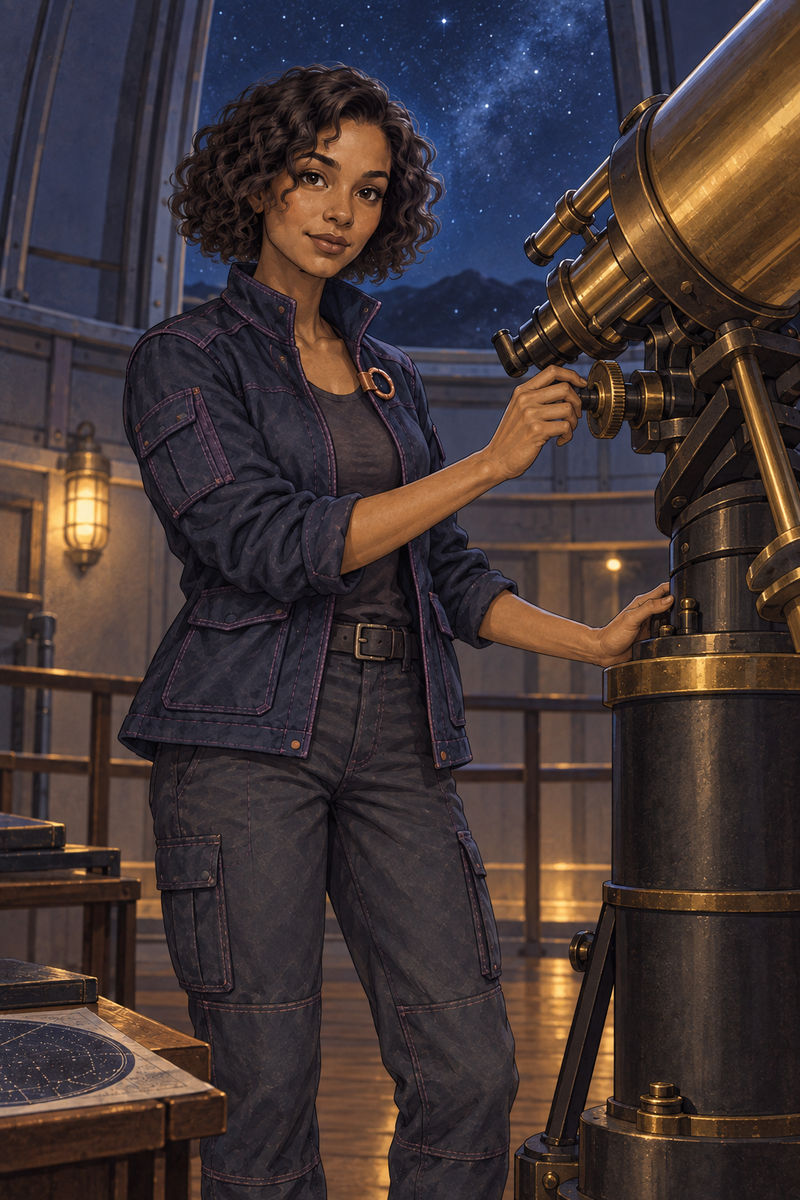
Observatory scene: setting, light, pose, and task change.
Scene three: move closer
At the workbench, Mira studies a small lens. The closer crop makes her expression and hands more important, while hiding much of the trousers and boots. Mark a hidden feature as not visible, rather than pretending it passed the comparison. Judge the features you can see, especially her face, hair, jacket collar, and clasp.
A new crop should reveal a useful story beat. Here the lens inspection is the reason for moving the camera closer. That makes the frame more than a third pose of the same character.
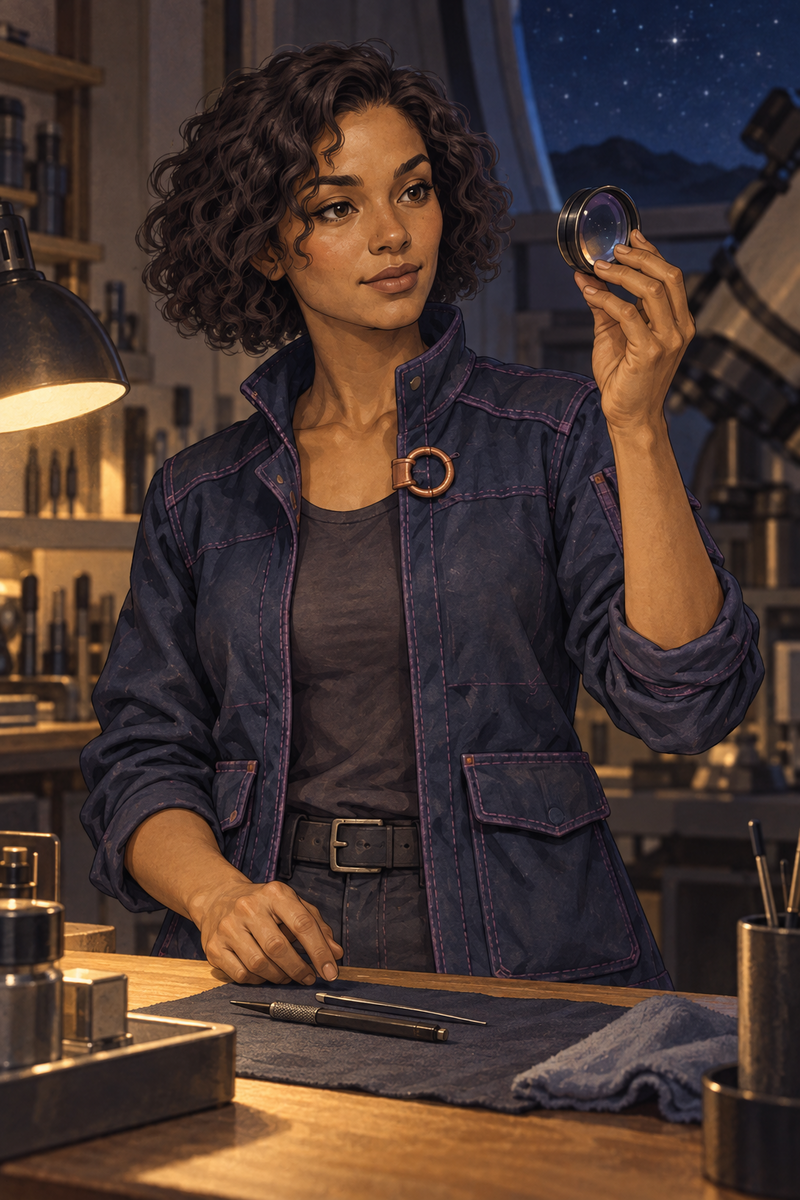
Workbench scene: a closer crop makes the face and hands easier to inspect.
Write the change before you generate
Use a tool that accepts an image reference when that option is available. Attach the approved studio image and give it a clear role: identity. Then name one scene change. Do not ask for a new outfit, new face, new medium, and new setting in the same pass unless all four changes are actually your goal.
Copy this scene brief
Use the attached studio image as the identity reference for Mira, an adult observatory repair technician. Keep her warm medium-brown complexion, expressive dark eyes, short voluminous dark coily bob, dark navy field jacket with muted-purple stitching, and one circular copper clasp near the upper front. Create one new scene: [describe the task and place]. Change the pose, crop, background, and light to fit that scene. Keep her face and outfit recognizable wherever visible. Show the task clearly. One Mira only. No captions, logos, invented badge, extra clasp, or watermark.
Keep, repair, or reject
Compare the new frame with the studio reference at the intended reading size and again at full size. Be specific about the first failure you find.
Keep it
The visible identity anchors match, the action is clear, and the hands and objects hold up at full size. Save the exact input and prompt with the approved image.
Repair one issue
If the scene works but one detail drifts, return to the last approved reference and name that detail in the next edit. Check the whole frame again afterward.
Reject it
If Mira looks like a different person, restart from the approved reference. Do not label a mismatched face as a successful variation because the background looks good.
What this example shows
These are three curated illustrations from one reference-guided workflow. They show a studio anchor and two scene changes. They do not measure a consistency rate or compare ChatGPT, Gemini, and Grok against each other. The free kit gives you the fuller brief, provider-aware starting points, and a review sheet for your own runs. Record the tool, model, inputs, and exact prompt you actually use.
Source Desk
Official sources are listed below. Recheck current details before acting.
OpenAI image prompting guidance
A clearer brief. A more useful result.